Apply for ZamnPay
ZamnPay lets you receive online payments for your digital products directly on your platform, with no need to sign up with any outside payment provider. Your customers' payments go straight into your bank account. These steps are for the platform owner.
ZamnPay is for Saudi citizens and Saudi businesses. For users outside Saudi Arabia, use Zamn Wallet instead.
How to activate digital products with ZamnPay
-
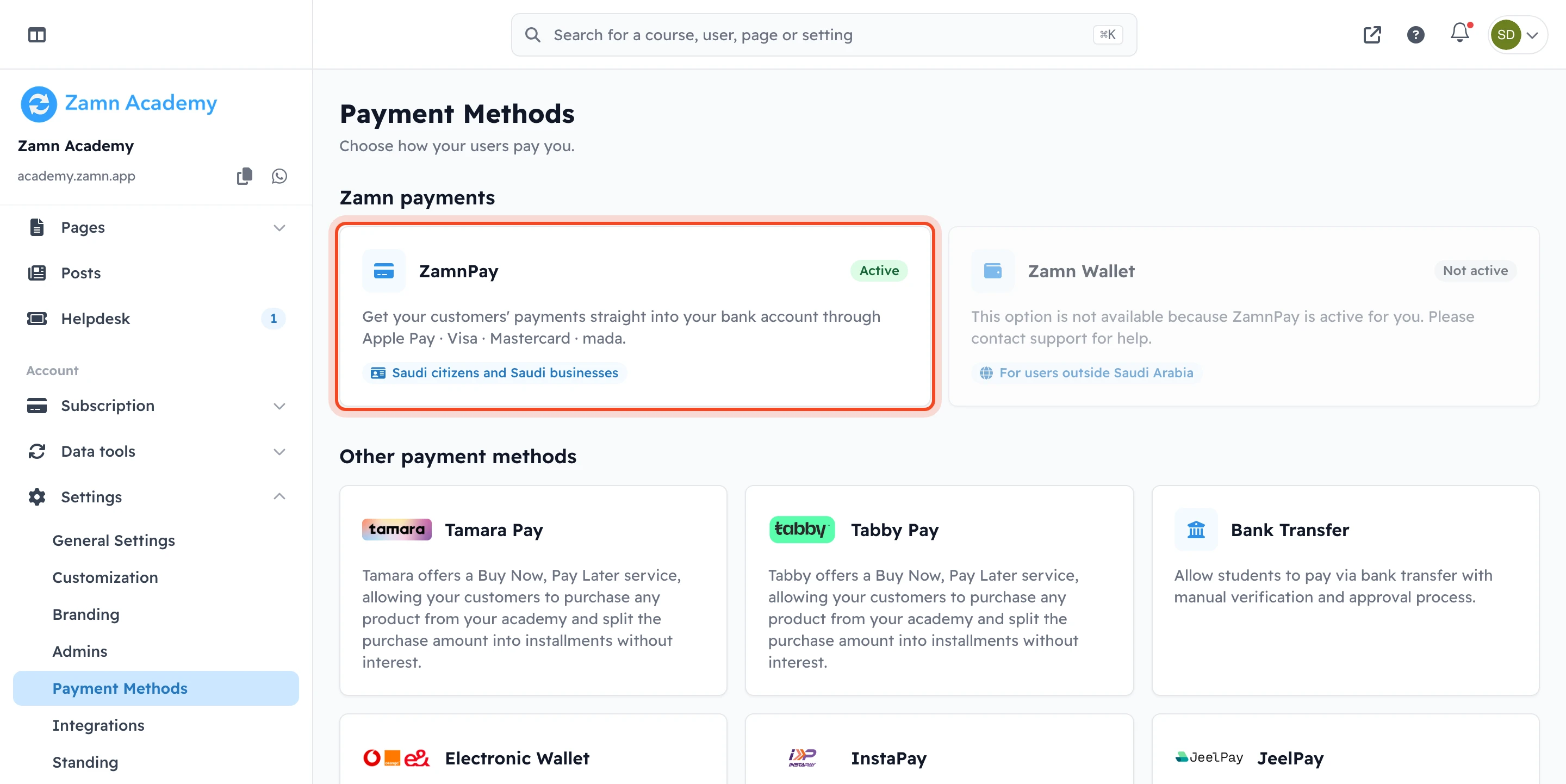
In the side menu of the dashboard, under Account, click Settings, then go to the Payment Methods page. Under Zamn payments, click the ZamnPay card.
-
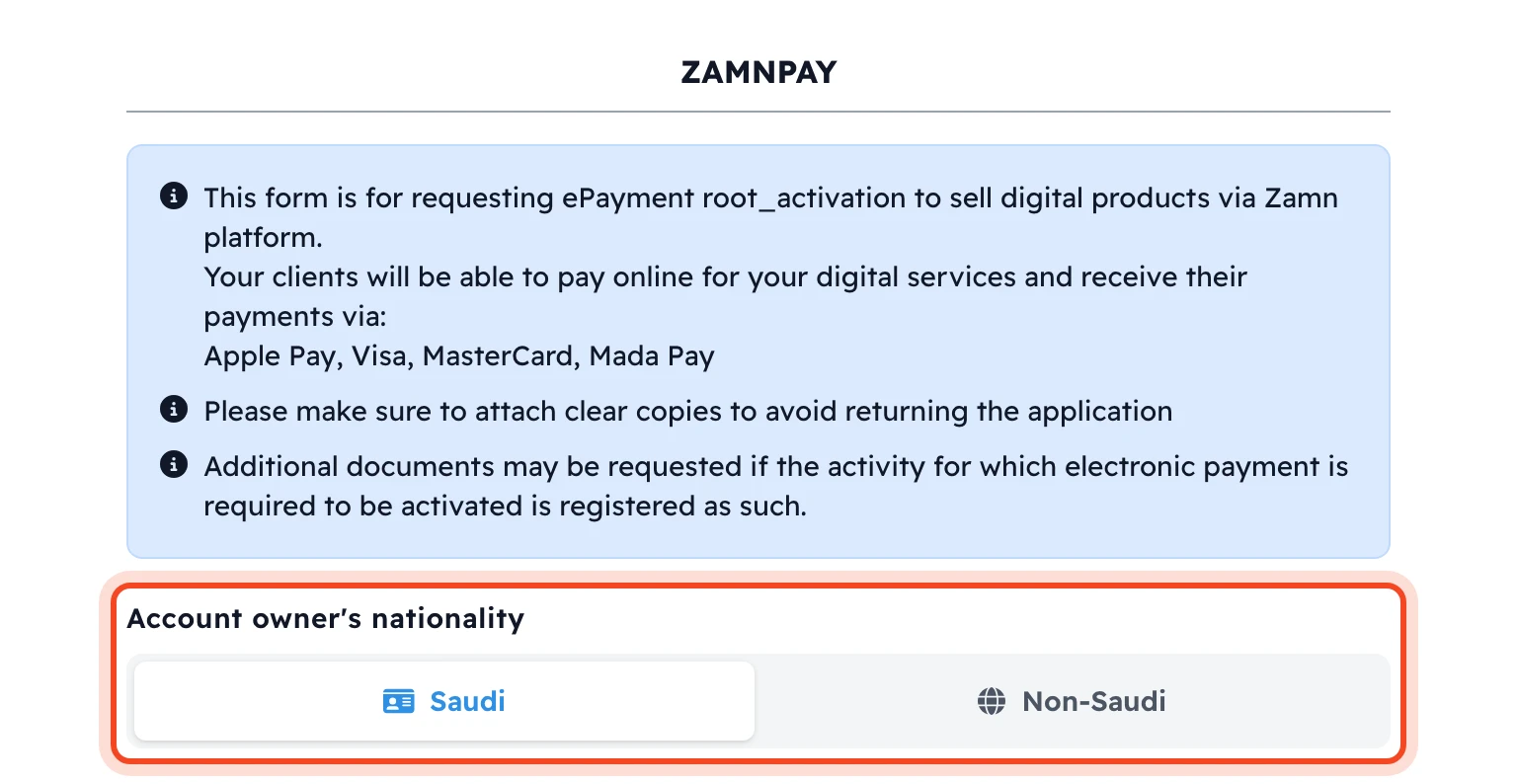
Under Account owner's nationality, choose Saudi. The request form shows under it. If you choose Non-Saudi, you see the Activate Zamn Wallet button instead of the form.
-
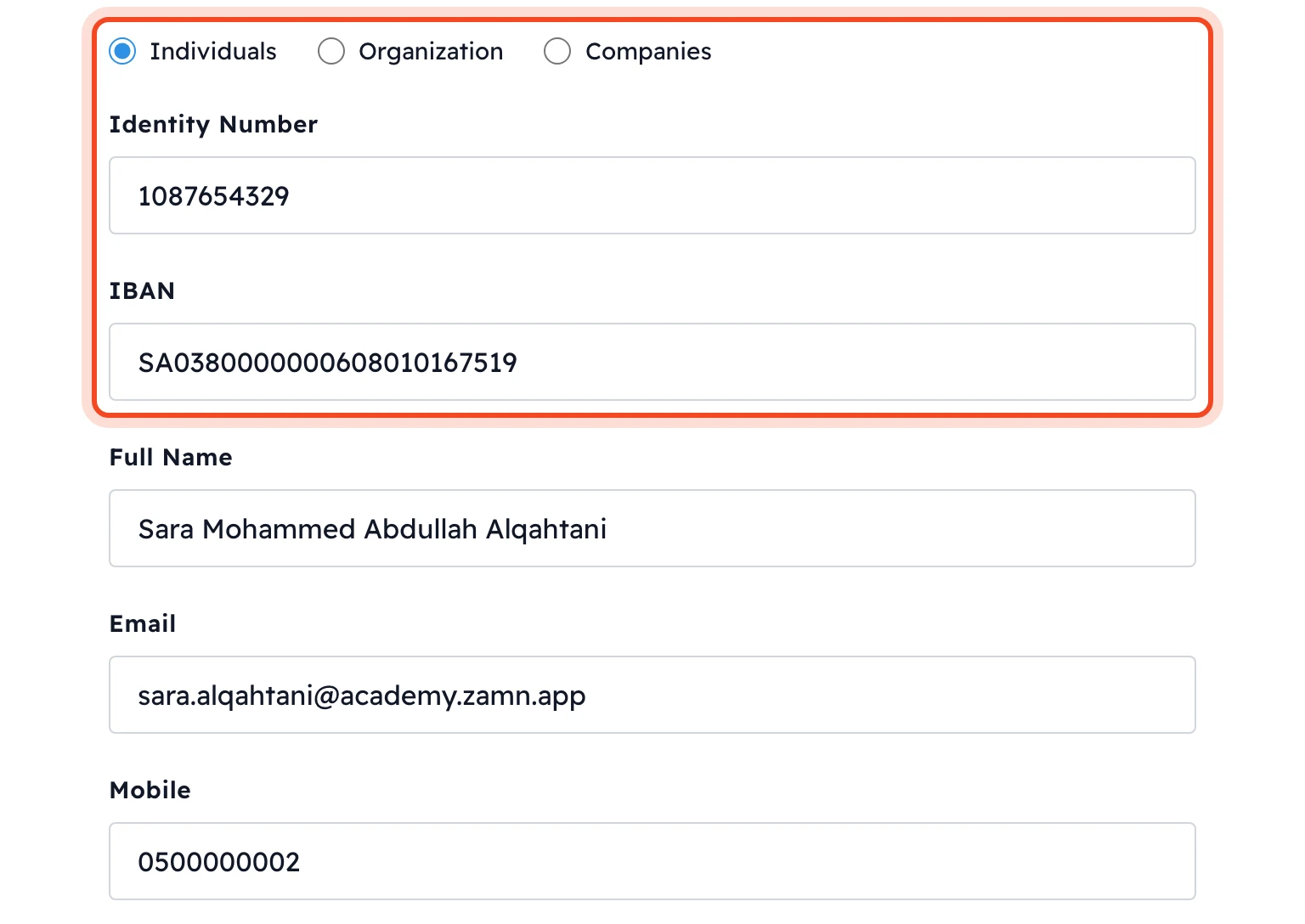
Choose the request type: Individuals, Organization or Companies. The data and files you need depend on your choice.
-
Fill in the required data. Every request type asks for the Identity Number and the IBAN.
-
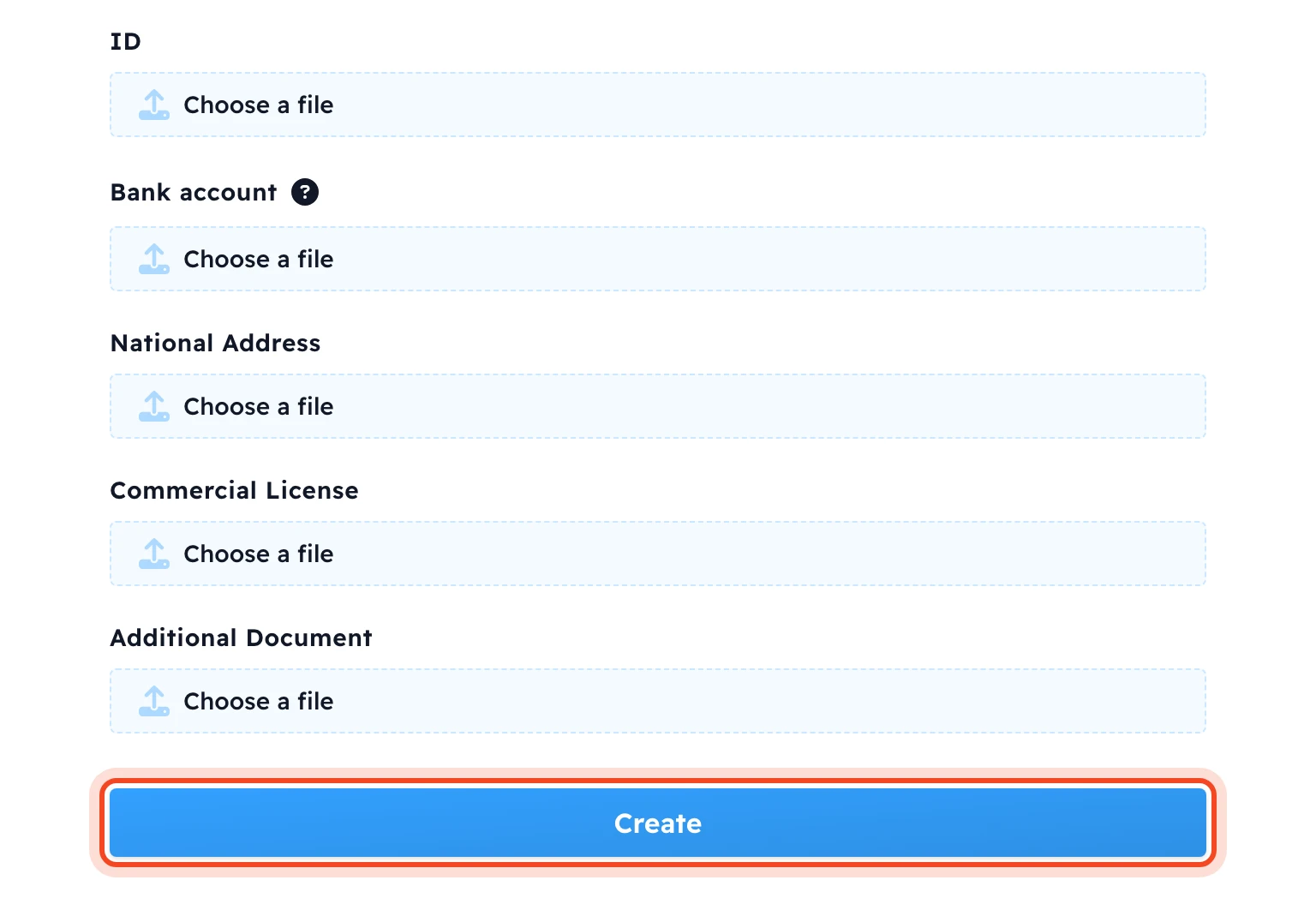
Attach the required files with Choose a file, as clear copies. Each file must not be more than 5 MB.
-
Click Create to send the activation request.
After you send it, the Zamn team reviews your request. Until the request is approved, the ZamnPay card shows Under review. After approval, it shows Active.