Turn off subscription selling
If you no longer want to sell a product as a monthly subscription, you can turn this option off in the product settings. These steps are for the platform admin.
Steps to turn off subscription selling
-
Sign in to your platform dashboard.

-
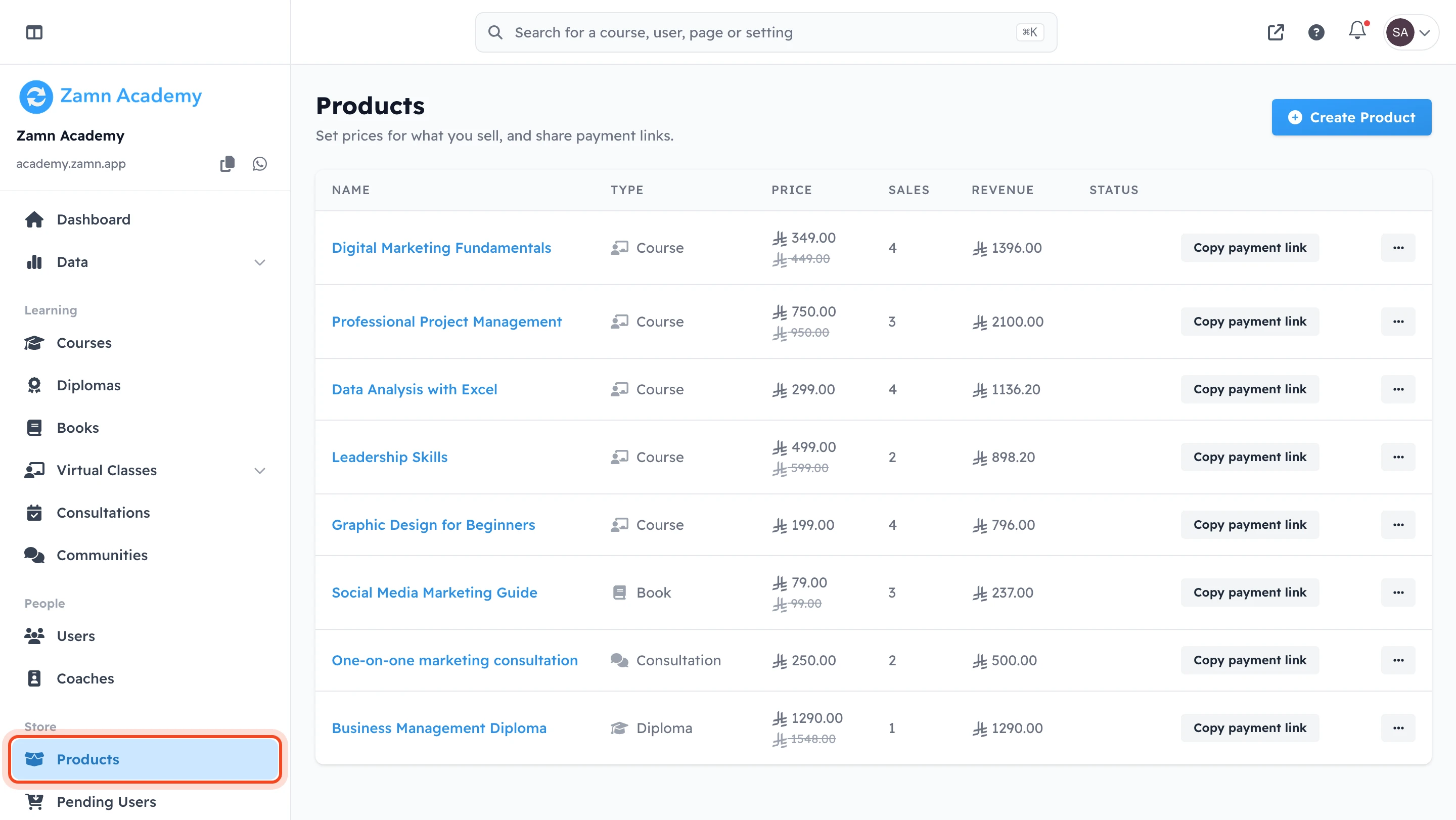
In the side menu of the dashboard, under Store, click Products.
-
On the Products page, click the ⋯ (Actions) button at the end of the row of the product you want to change.
-
Click Edit.
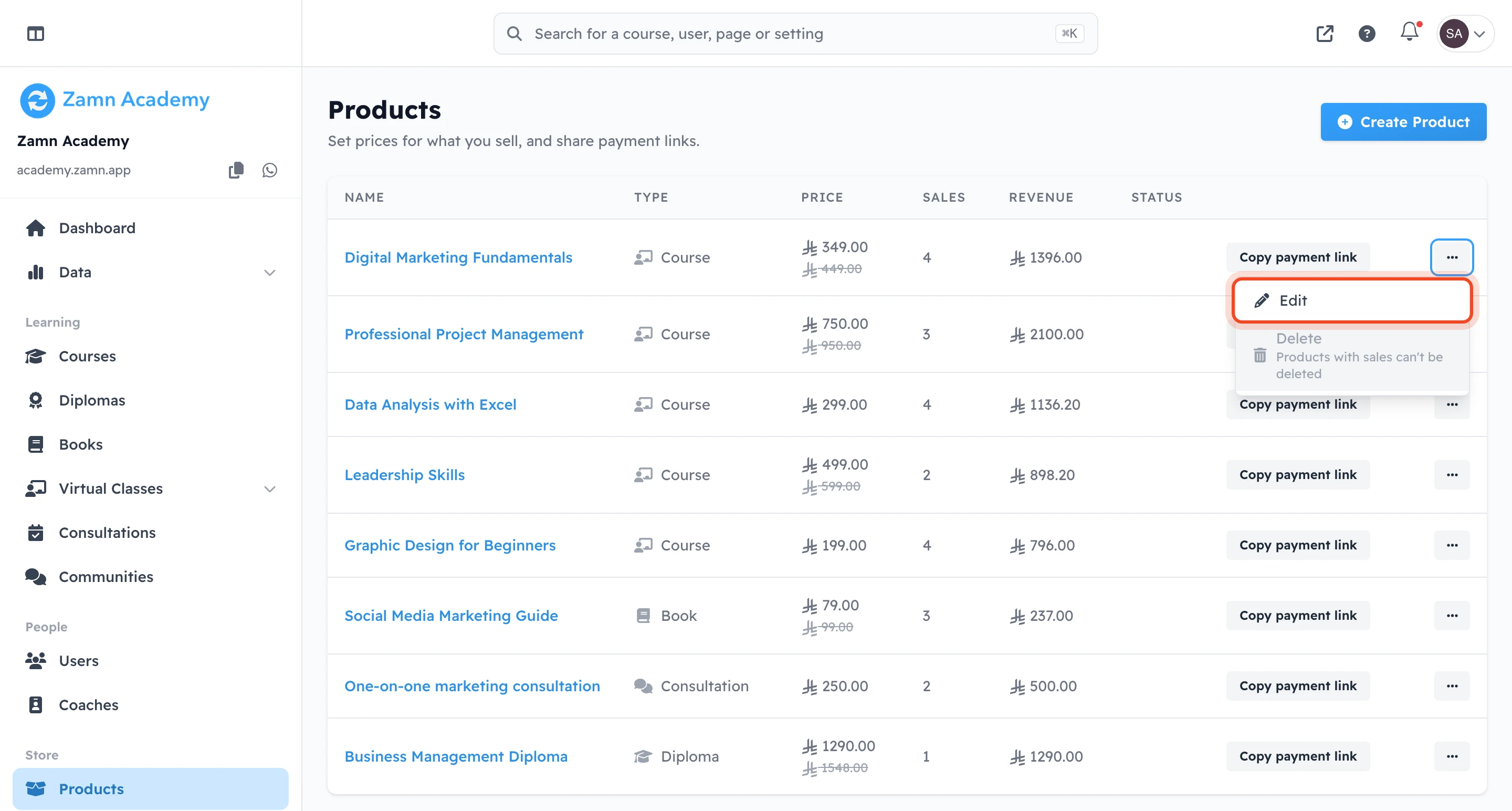
You can also click the product name to open the edit form.
-
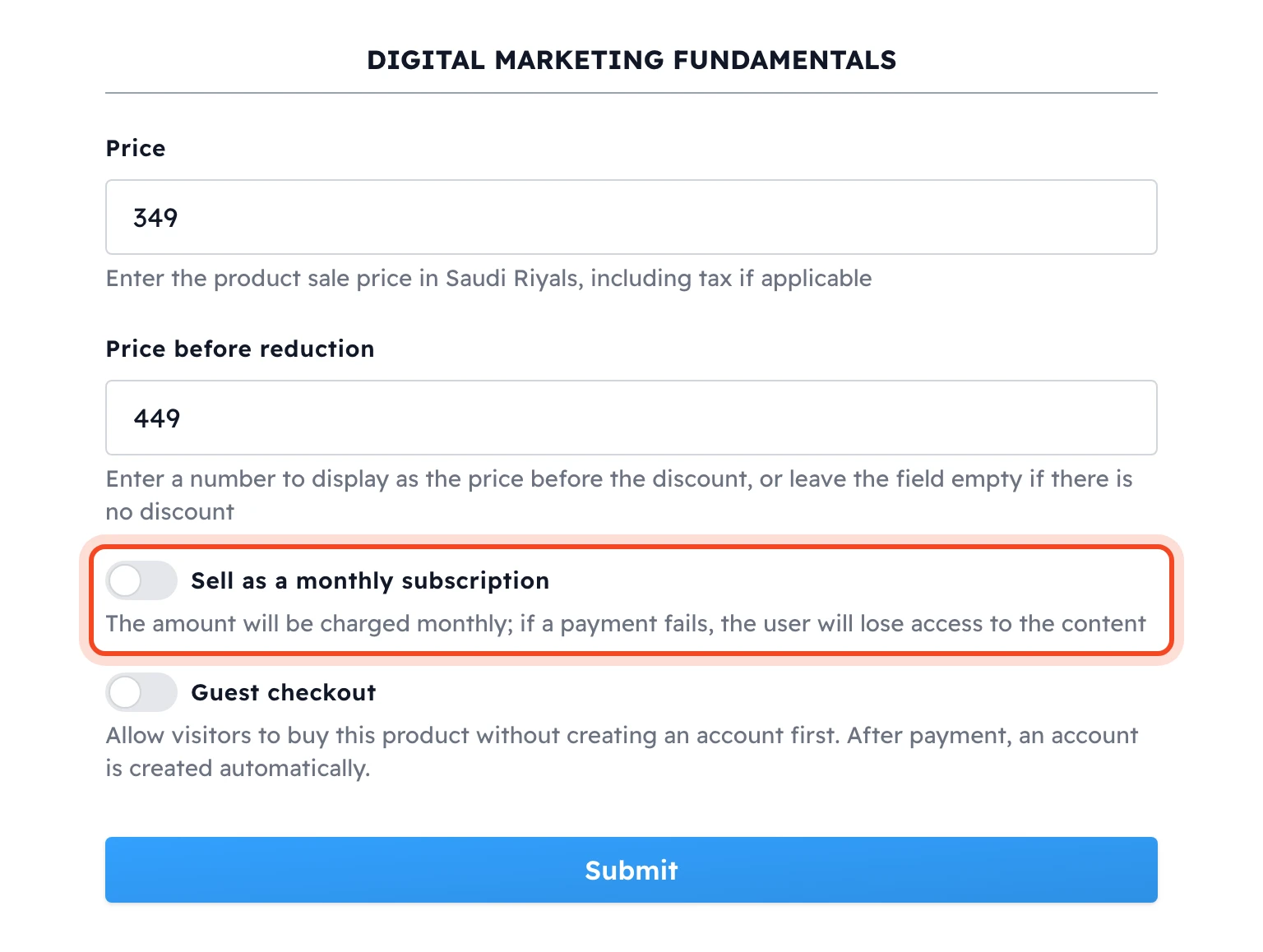
Turn off Sell as a monthly subscription.
 Note
If Zamn Wallet is active on your platform, this option does not show. If your payment gateway does not support subscriptions, you cannot turn the option back on after you turn it off and save the product.
-
Click Submit.