ZamnPay
ZamnPay is a fast and safe payment method, and a simple way to accept online payments. With it, you can sell courses, e-books, consultations and diplomas on your platform without signing up for any outside payment service. Your customers' payments go straight into your bank account.
When you turn on ZamnPay, your customers can pay online for your digital services with many payment methods, including:
- Apple Pay
- Visa
- Mastercard
- Mada
These options give your customers more choice and make it easier for them to pay for your services.
ZamnPay is for Saudi citizens and Saudi businesses. For users outside Saudi Arabia, use Zamn Wallet instead. It takes payments through the same methods, and you do not need a Saudi bank account or a commercial register.
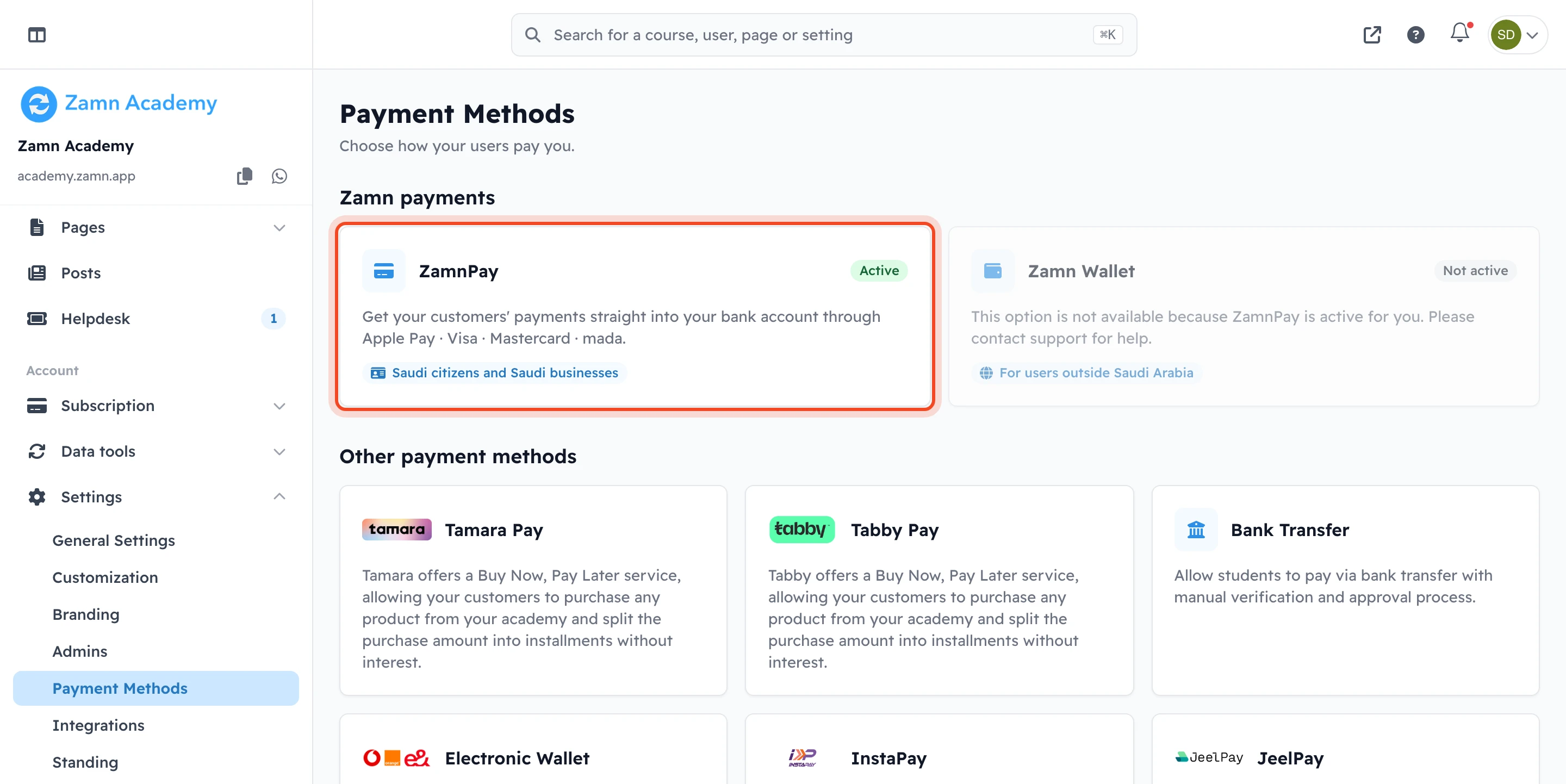
You can use only one of the two. When Zamn Wallet is active, or its request is under review, the ZamnPay card is dimmed and you cannot open it. To change this, contact support.
How to turn on ZamnPay
-
In the side menu of the dashboard, under Account, click Settings, then go to the Payment Methods page.
-
Under Zamn payments, click the ZamnPay card.
-
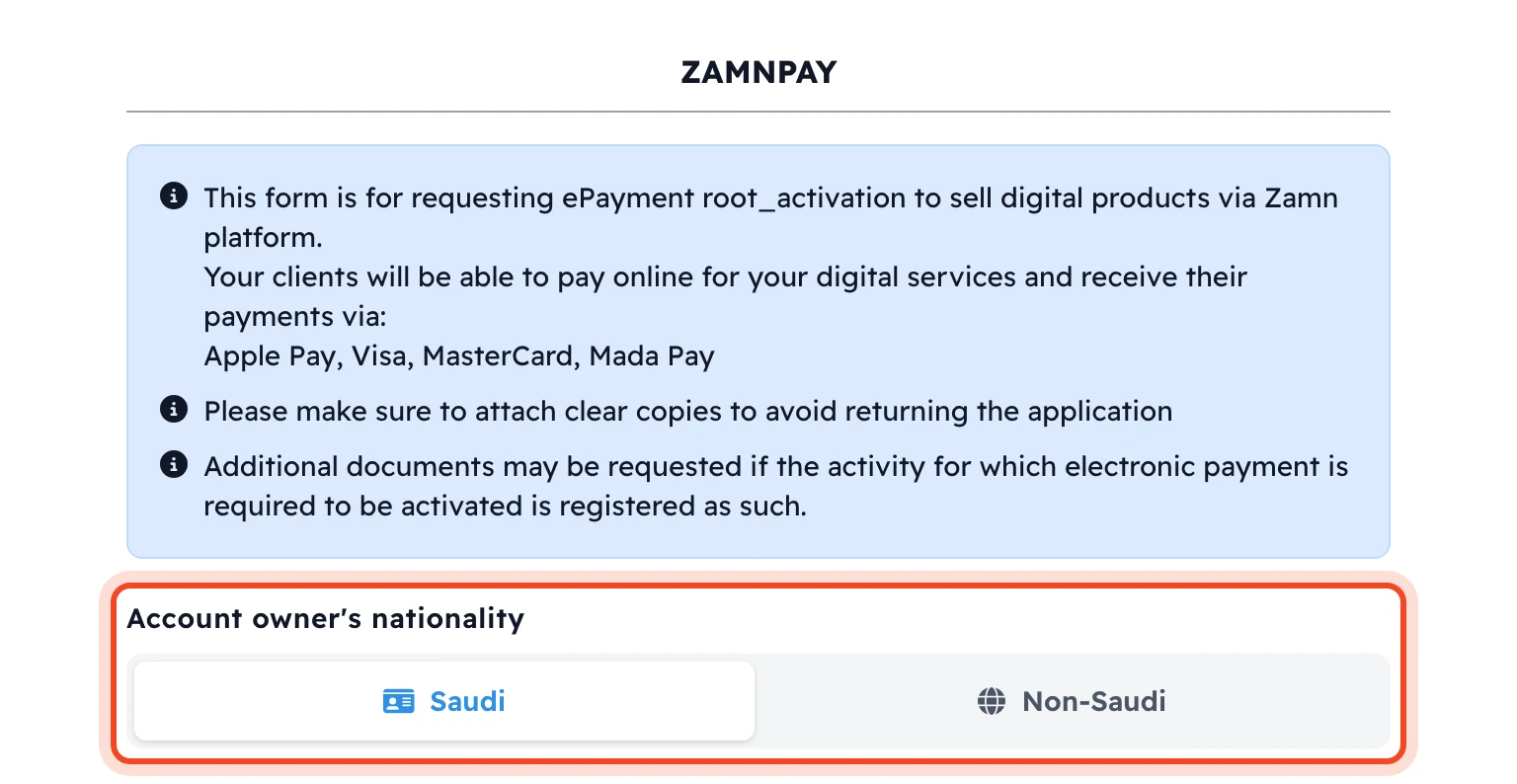
Under Account owner's nationality, choose Saudi. The request form shows under it. If you choose Non-Saudi, you see the Activate Zamn Wallet button instead of the form.
-
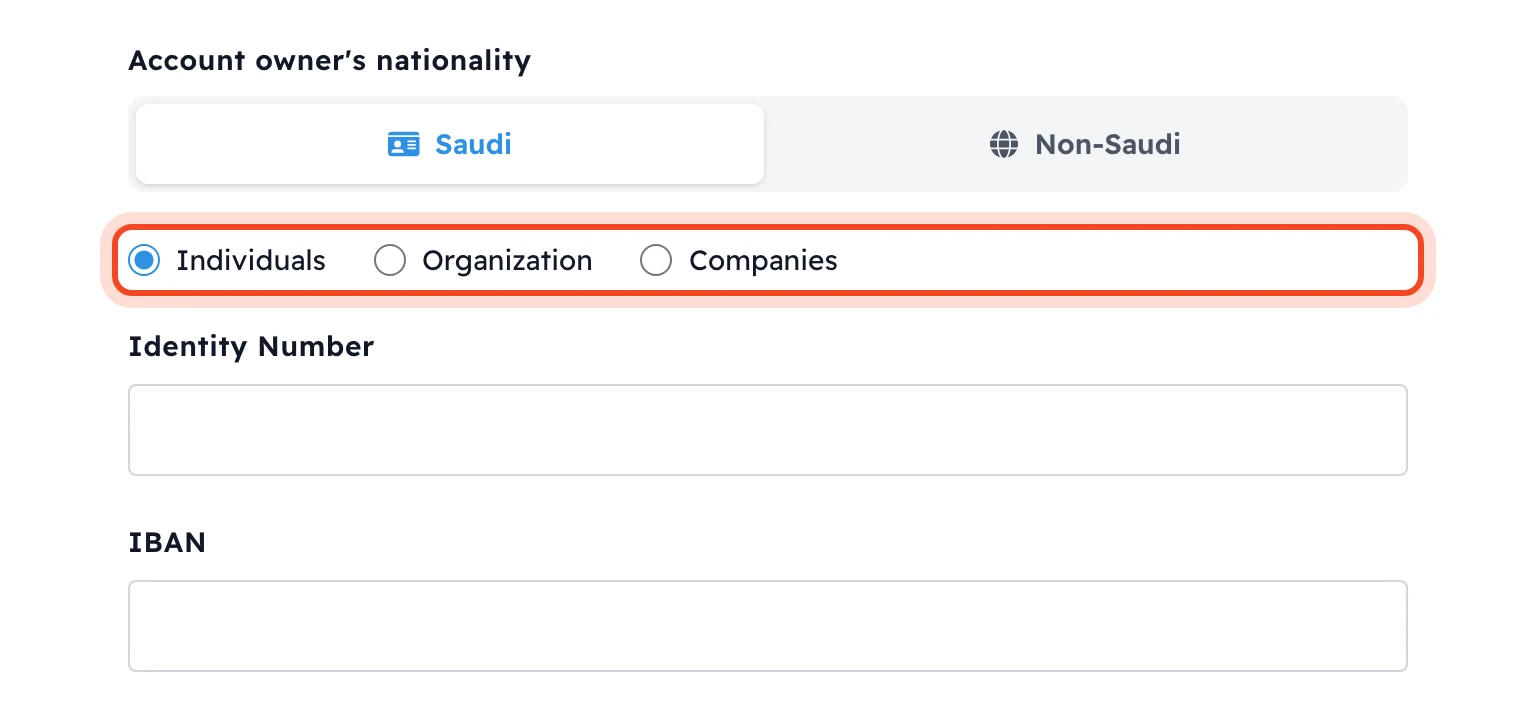
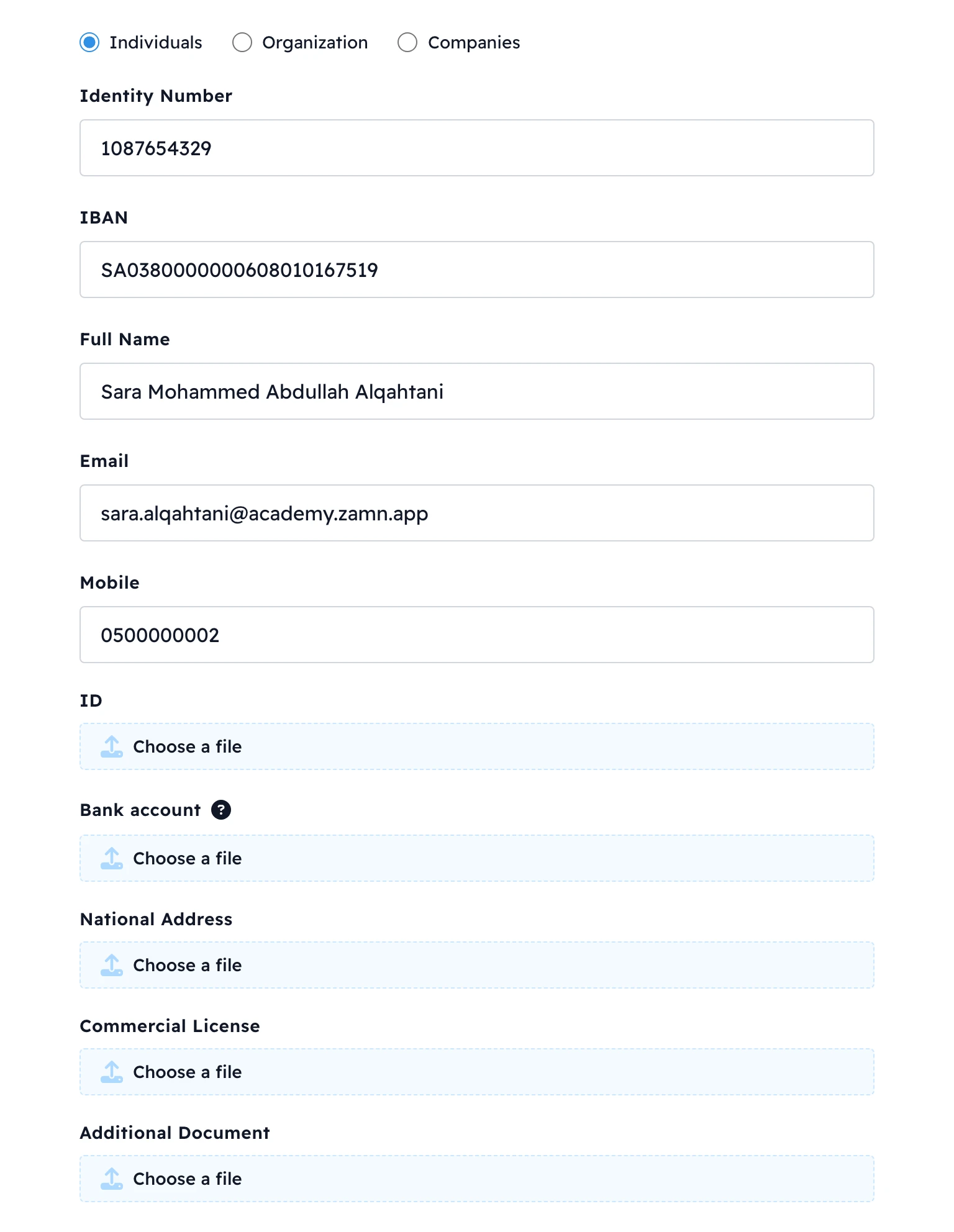
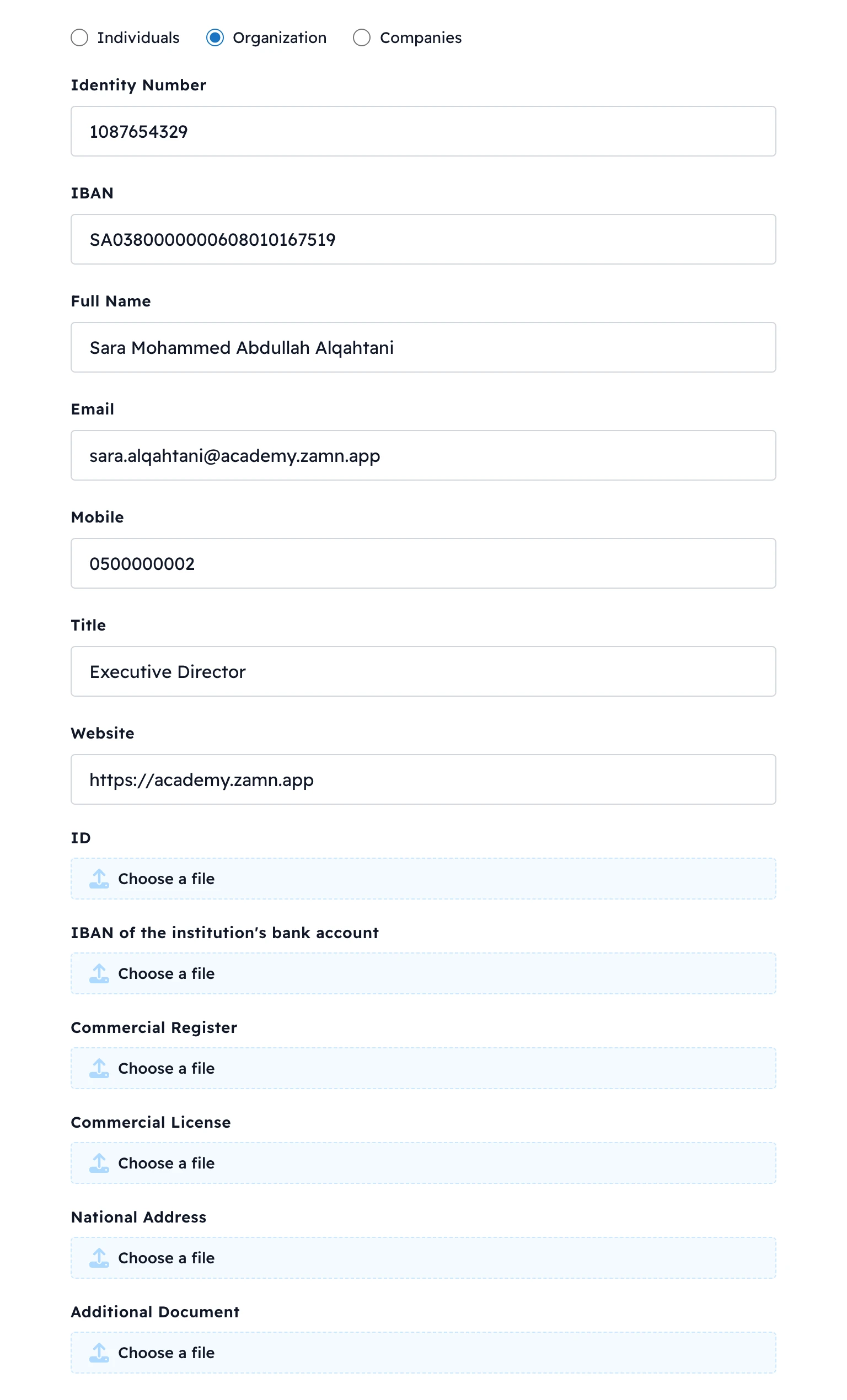
Choose whether your platform belongs to Individuals, an Organization or Companies.
-
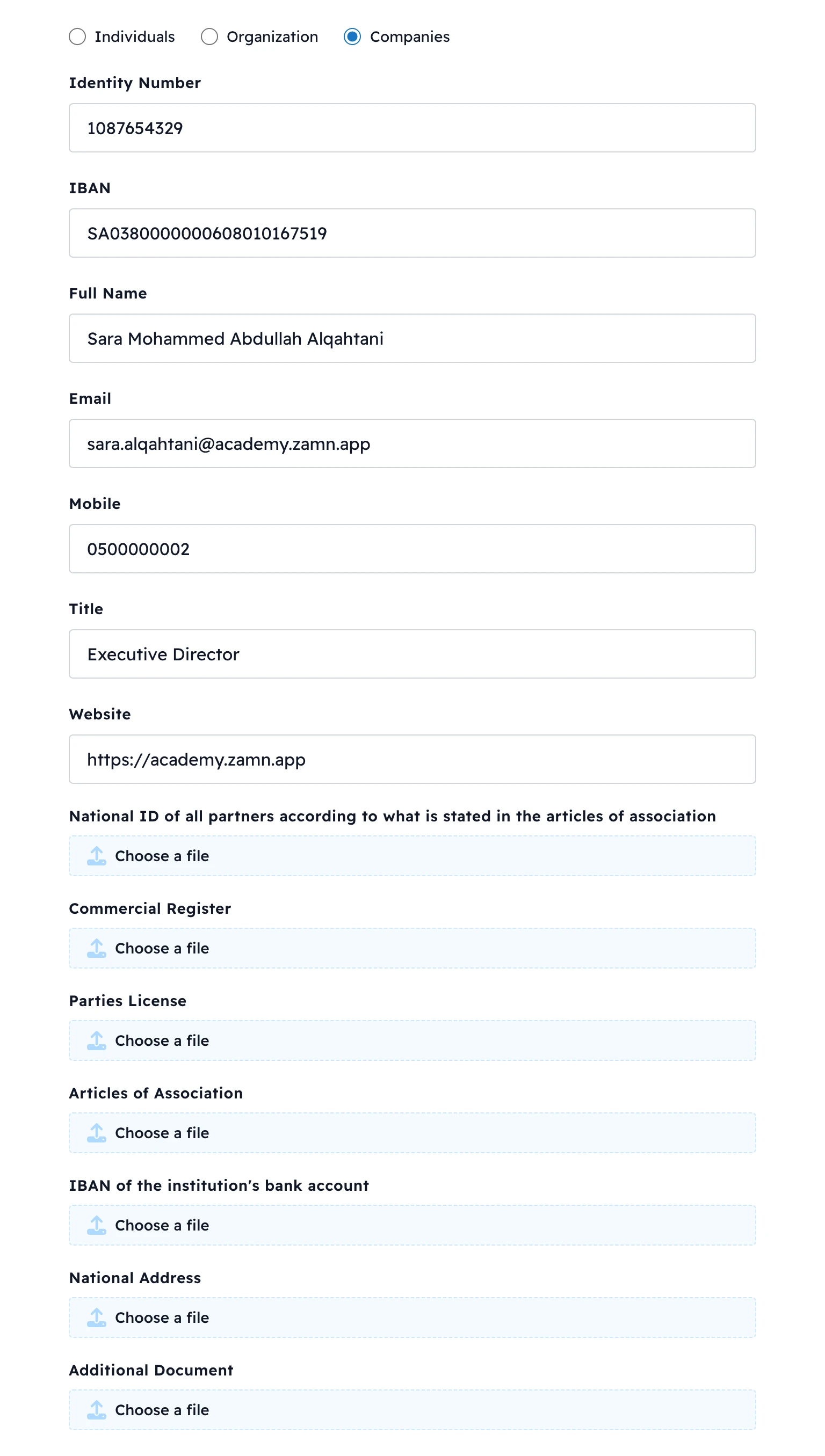
Fill in the details and attach the required files with Choose a file. Every request type asks for the Identity Number and the IBAN.
-
Click Create to send the request for review by the Zamn team. Until the request is approved, the ZamnPay card shows Under review. After approval, it shows Active.
The required details and files may change based on your choice (Individuals, Organization or Companies). Attach clear copies of the files so the request is not sent back.
Example of the details and files required for individuals:
Example of the details and files required for organizations:
Example of the details and files required for companies: