Turn on webhooks
This article shows how to turn on webhooks on your platform to connect it with other services. It is for the platform admin.
What are webhooks?
Webhooks are an advanced feature that sends the events that happen on your platform to a link you choose. This lets you connect your platform with other services, such as automation tools or outside systems.
How to set up webhooks
Webhooks are available on the Growth, Pro and Organizations website plans, and during the free trial. On other plans, the Webhooks panel shows the message You need to upgrade your plan to use Webhooks integration.
-
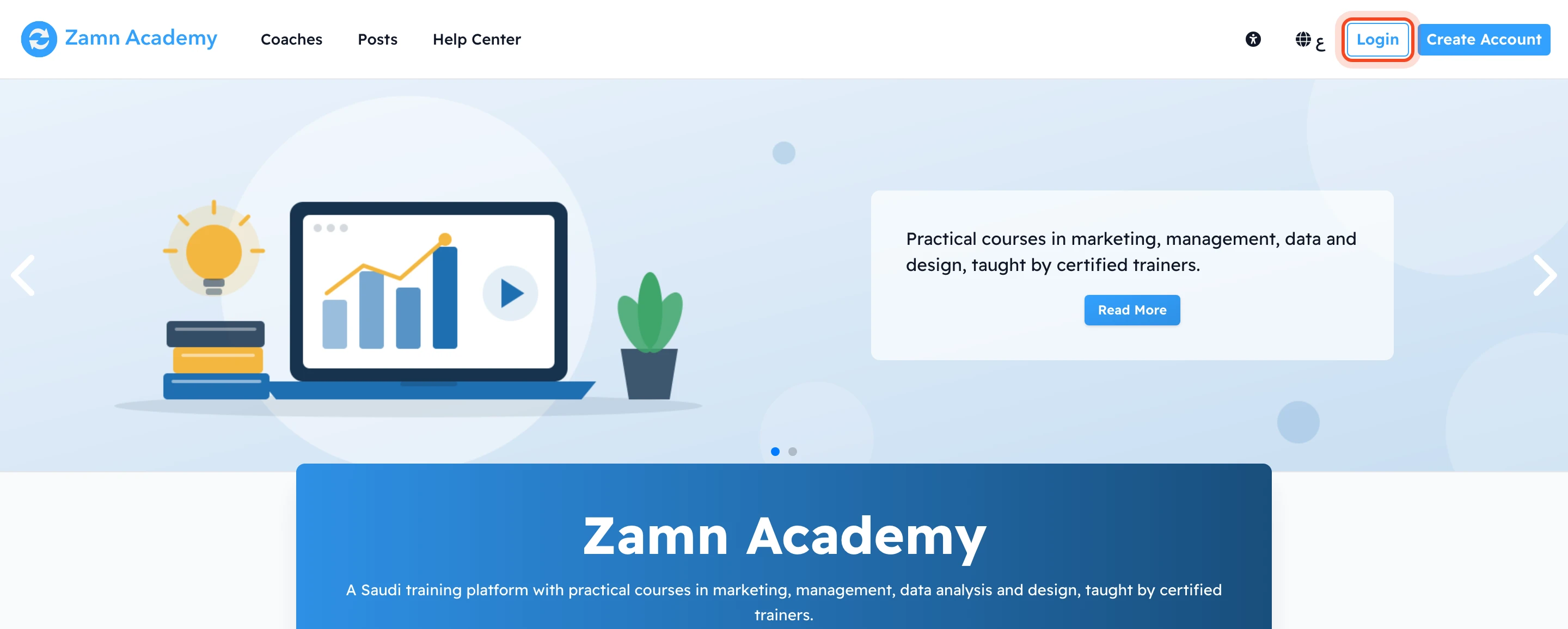
Sign in to your platform with an admin account.
-
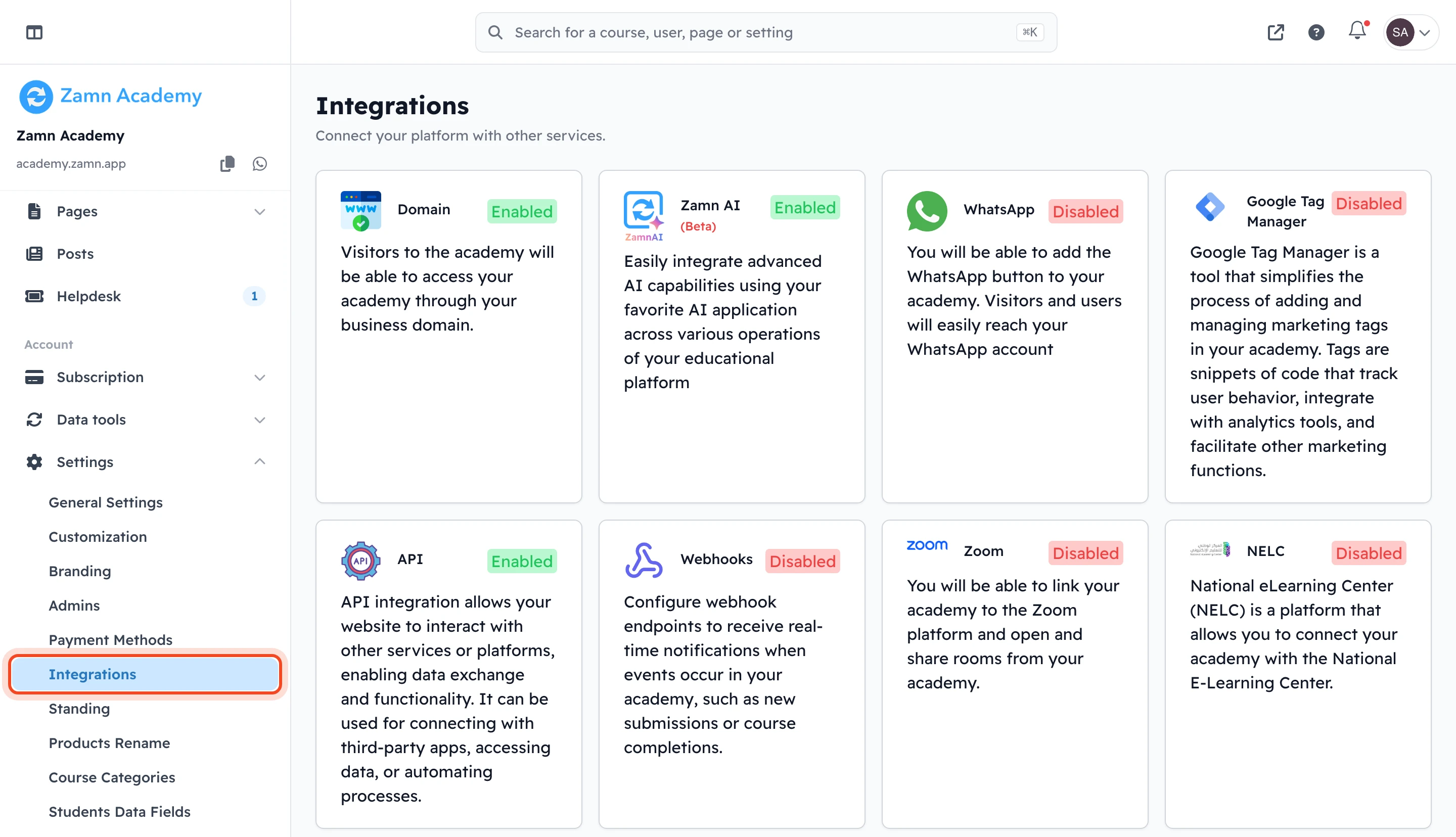
In the side menu, under Account, click Settings, then Integrations.
-
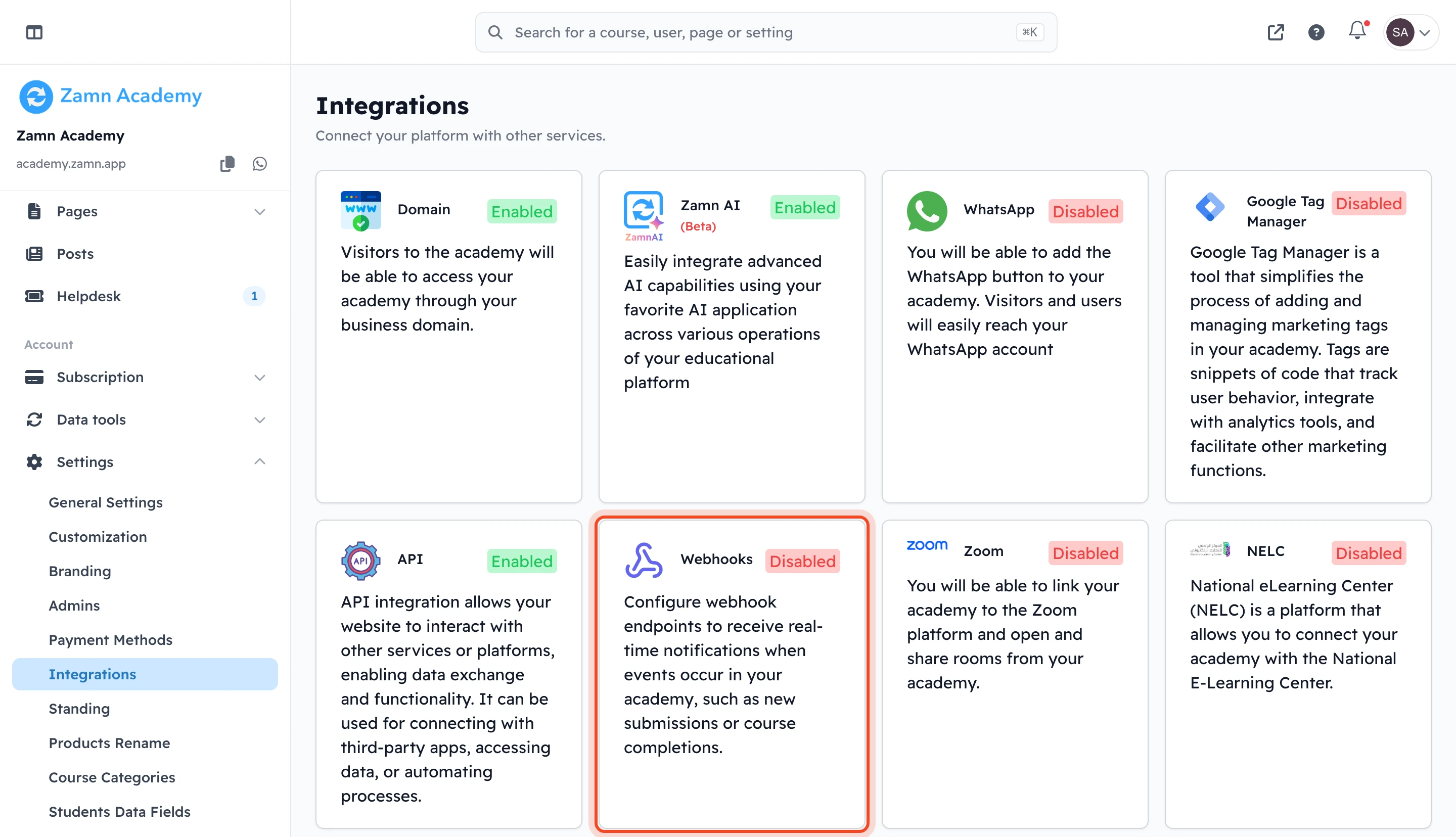
On the Integrations page, choose Webhooks.
-
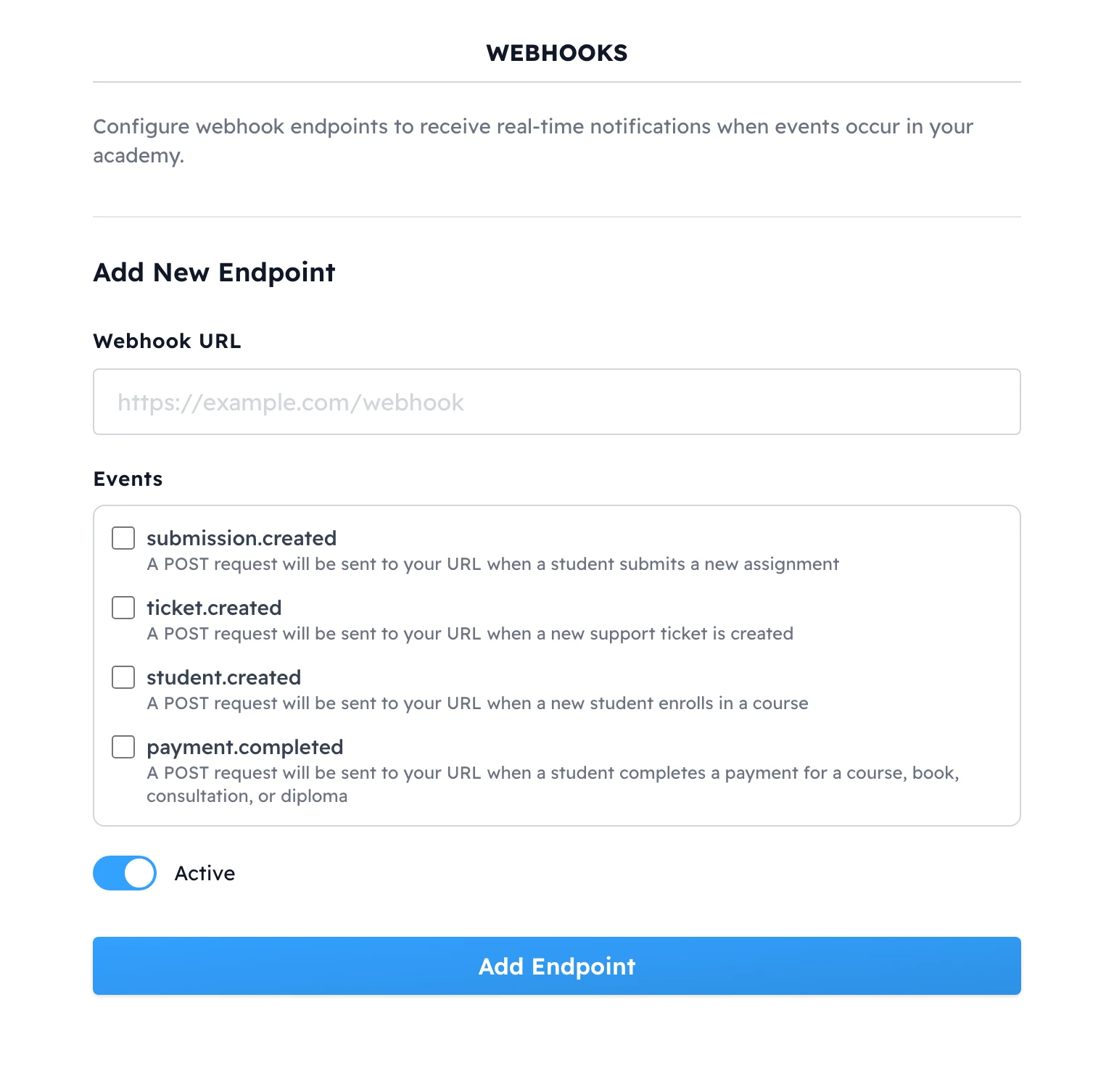
A side panel opens where you set up Webhooks. It shows the endpoints you added, and under them the Add New Endpoint part.
Add a new webhook
-
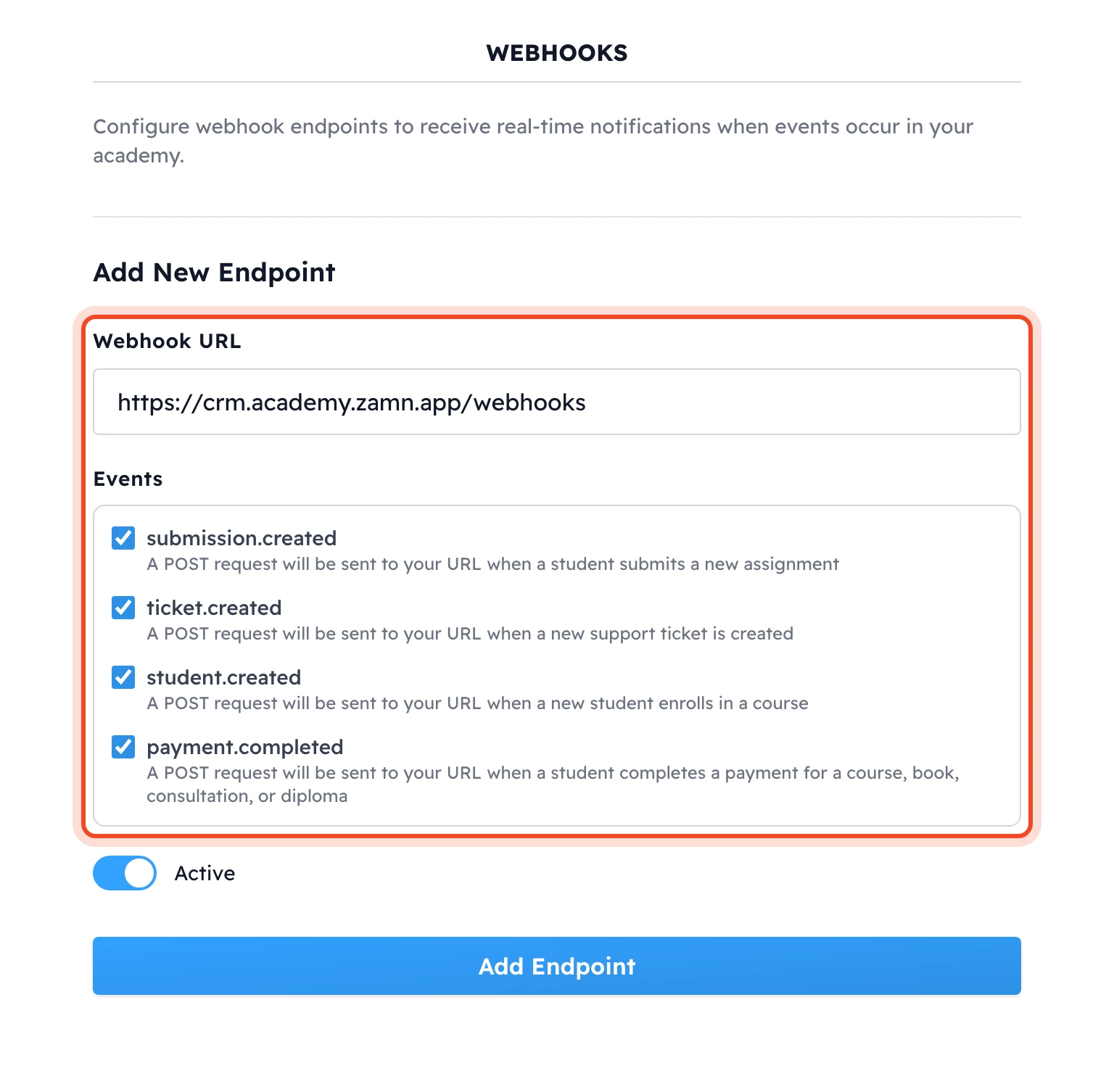
Under Add New Endpoint, in the Webhook URL field, enter the link that will receive the data, for example
https://example.com/webhook. -
Choose the Events you want to track:
submission.created: a POST request is sent when a student submits a new assignment.ticket.created: a POST request is sent when a new support ticket is created.student.created: a POST request is sent when a new student enrolls in a course.payment.completed: a POST request is sent when a student completes a payment for a course, book, consultation, or diploma. It is also sent when you approve a bank transfer request, and when you add a sale with Create manual sale.
-
Turn on Active.
-
Click Add Endpoint. The new endpoint shows at the top of the panel, with the Active label and its HMAC Key for you to use. Click the eye button next to the key to see it.
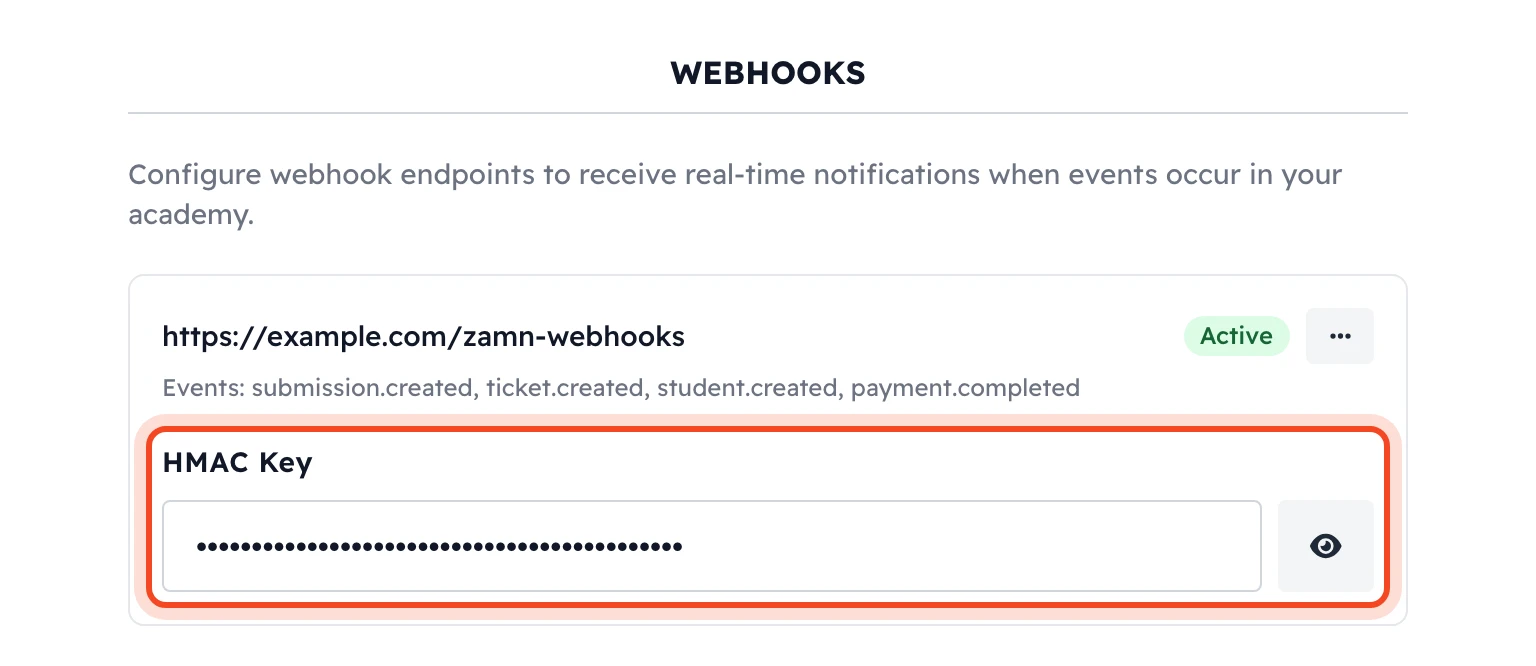
To change or delete an endpoint later, click ⋯ on its card, then choose Edit or Delete.
Event examples
student.created
{
  "event": "student.created",
  "timestamp": "2026-03-30T12:00:00Z",
  "data": {
    "id": 42,
    "user": {
      "id": 10,
      "name": "Ahmed Ali",
      "email": "ahmed@example.com"
    },
    "cohort": {
      "id": 3,
      "name": "Cohort 2026"
    },
    "course": {
      "id": 5,
      "name": "Web Development"
    },
    "team": {
      "id": 7,
      "name": "Team Alpha"
    },
    "tags": ["scholarship", "part-time"],
    "created_at": "2026-03-30T12:00:00.000Z"
  }
}
submission.created
{
  "event": "submission.created",
  "timestamp": "2026-03-30T12:00:00Z",
  "data": {
    "id": 101,
    "course": {
      "id": 5,
      "name": "Web Development"
    },
    "students": [42, 43],
    "created_at": "2026-03-30T12:00:00.000Z",
    "updated_at": "2026-03-30T12:00:00.000Z",
    "target_id": 20,
    "checklist": [
      {
        "kind": "longText",
        "title": "Describe your approach",
        "result": "I used a modular architecture...",
        "status": "noAnswer"
      }
    ],
    "level_number": 2,
    "target": {
      "id": 20,
      "title": "Build a REST API",
      "evaluation_criteria": [
        {
          "id": 1,
          "name": "Code Quality",
          "max_grade": 4,
          "grade_labels": ["Bad", "Okay", "Good", "Excellent"]
        }
      ]
    },
    "files": [
      {
        "filename": "solution.zip",
        "content_type": "application/zip",
        "byte_size": 204800,
        "checksum": "abc123def456...",
        "url": "https://www.example.com/rails/active_storage/blobs/..."
      }
    ],
    "evaluator": "Dr. Sarah",
    "evaluated_at": "2026-03-30T14:00:00.000Z",
    "grades": {
      "1": 3
    }
  }
}
ticket.created
{
  "event": "ticket.created",
  "timestamp": "2026-03-30T12:00:00Z",
  "data": {
    "id": 55,
    "title": "Cannot access course materials",
    "description": "I'm getting a 403 error when trying to view lessons",
    "status": "open",
    "user": {
      "id": 10,
      "name": "Ahmed Ali",
      "email": "ahmed@example.com"
    },
    "created_at": "2026-03-30T12:00:00.000Z"
  }
}
payment.completed
{
  "event": "payment.completed",
  "data": {
    "id": 1234,
    "user": {
      "id": 567,
      "name": "Ahmed",
      "email": "ahmed@example.com"
    },
    "product": {
      "id": 89,
      "type": "Course",
      "name": "Introduction to Web Development"
    },
    "price": 299.99,
    "gateway": "ZamnPay",
    "payment_method": "VISA/MASTER",
    "end_at": null,
    "subscription": null,
    "created_at": "2026-04-05T14:30:00.000Z"
  }
}
payment.completed for the first payment of a recurring subscription
The monthly renewals of a recurring subscription do not send a new payment.completed event.
{
  "event": "payment.completed",
  "data": {
    "id": 1235,
    "user": {
      "id": 567,
      "name": "Ahmed",
      "email": "ahmed@example.com"
    },
    "product": {
      "id": 12,
      "type": "Consultation",
      "name": "Consultation Name"
    },
    "price": 150.0,
    "gateway": "ZamnPay",
    "payment_method": "MADA",
    "end_at": "2026-05-05T23:59:59.999Z",
    "subscription": {
      "id": 42,
      "status": "active"
    },
    "created_at": "2026-04-05T14:45:00.000Z"
  }
}