Archive a target group
You can archive a target group in a course from the Curriculum page.
How to archive a target group
-
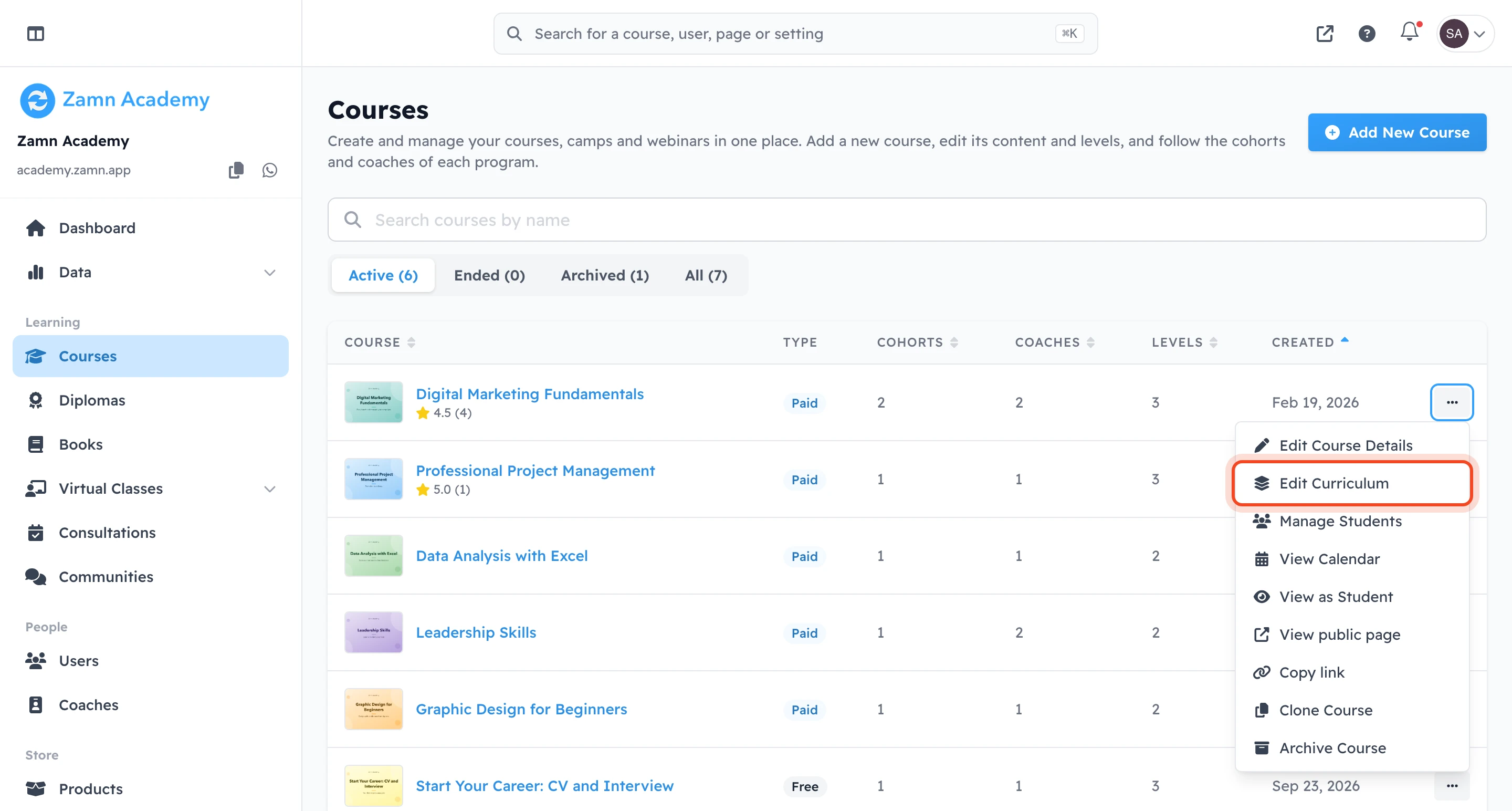
Go to the Courses page. Click the name of the course you want, or click ⋯ at the end of its row, then click Edit Curriculum.
-
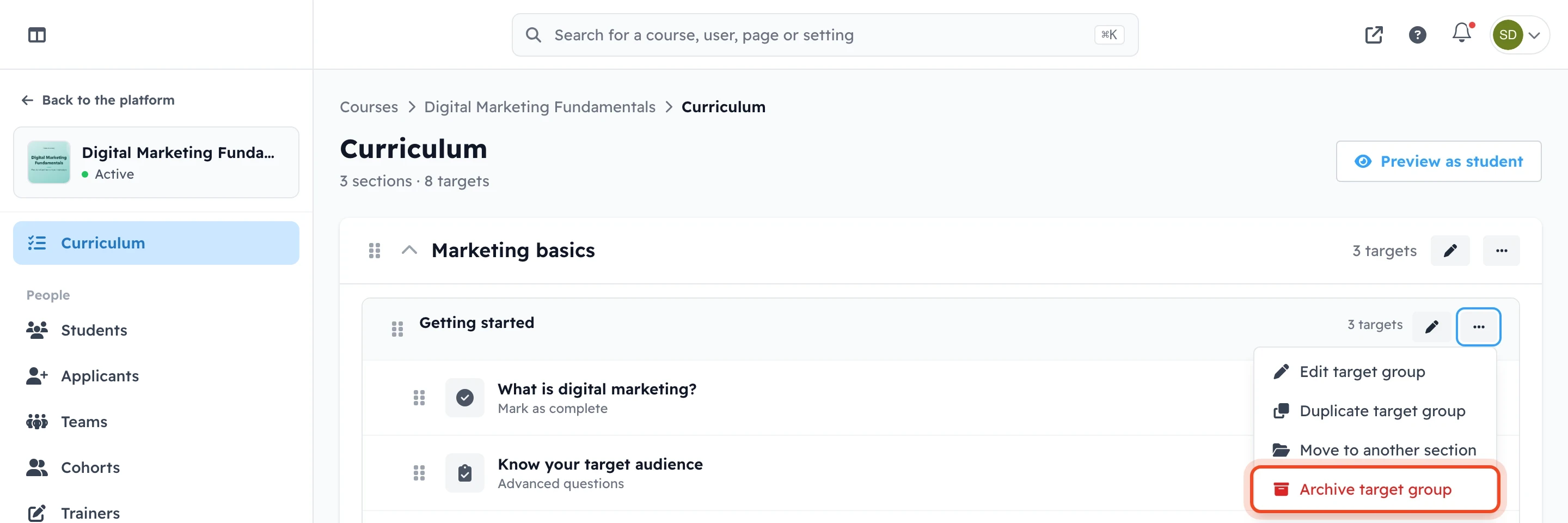
On the Curriculum page of the course, click ⋯ next to the target group you want to archive, then click Archive target group.
-
The message Archive this target group and all its targets? shows. Click OK.
The group and all its targets are archived, and students no longer see them.
See archived groups and unarchive them
-
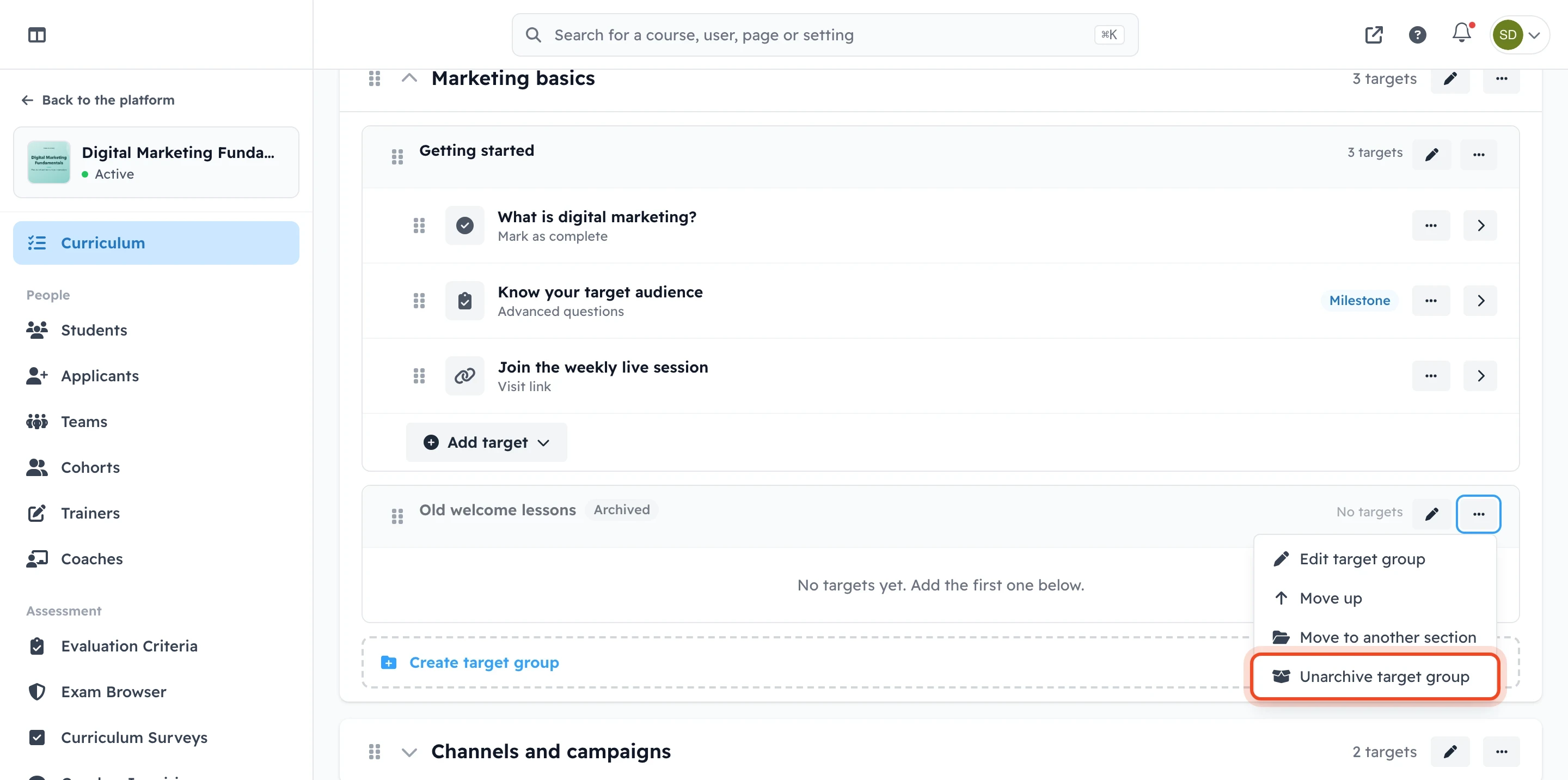
At the top of the Curriculum page, turn on Show archived. Archived groups show with the Archived label.
-
To unarchive a group, click ⋯ next to it, then click Unarchive target group.
When you unarchive a group, its targets stay archived. To show a target to students again, click ⋯ next to it, then Unarchive target. It becomes a Draft. Then open it and change its status to Published.