How to change your account password
You can change your account password at any time from the Account settings page.
Steps to change your account password
-
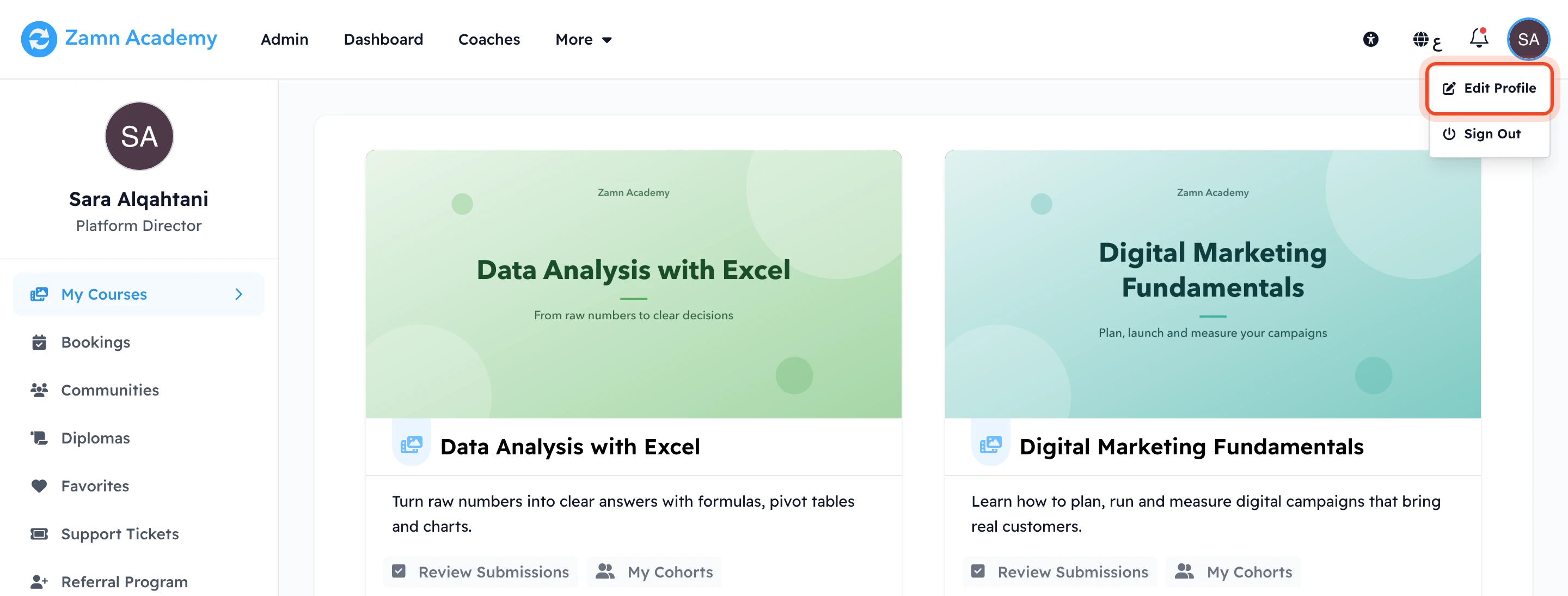
Click your profile icon, then choose Edit Profile. On the admin pages, this option is called Profile.
-
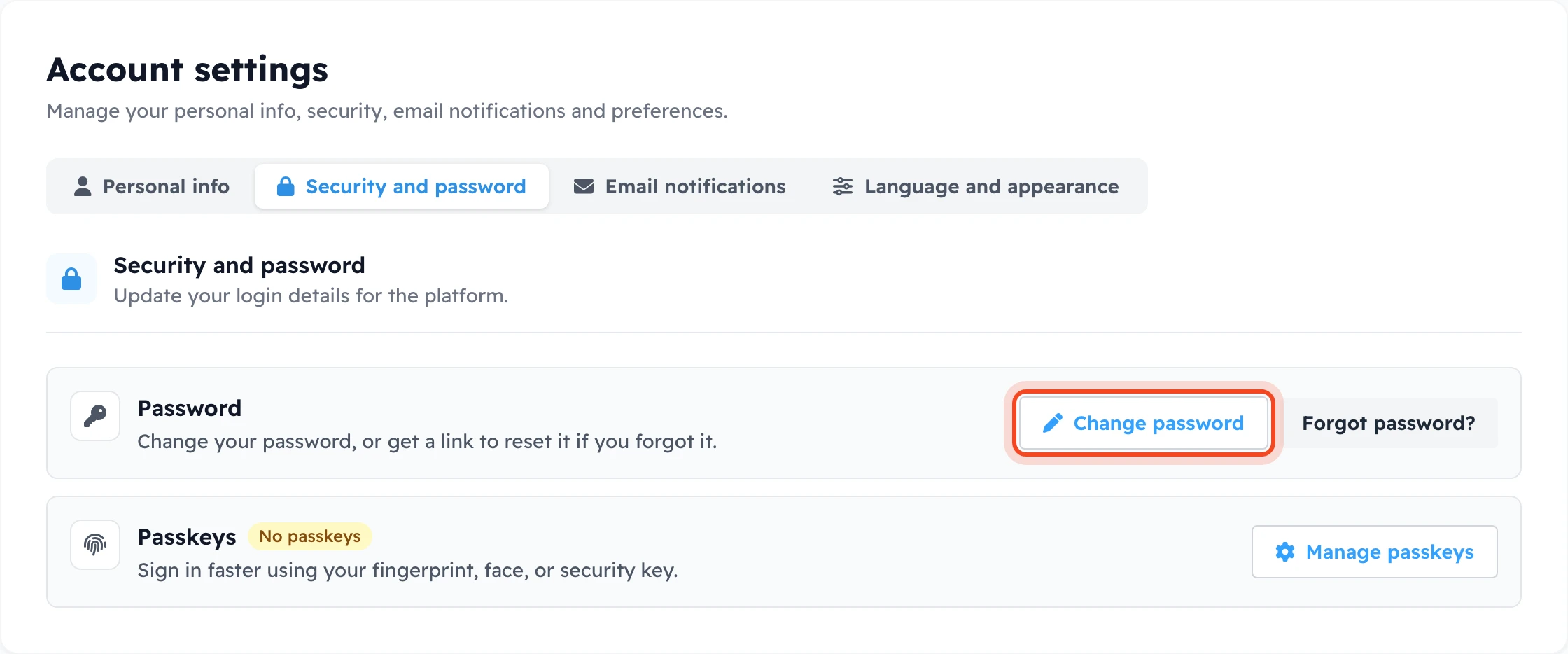
Open the Security and password tab, then click Change password.
-
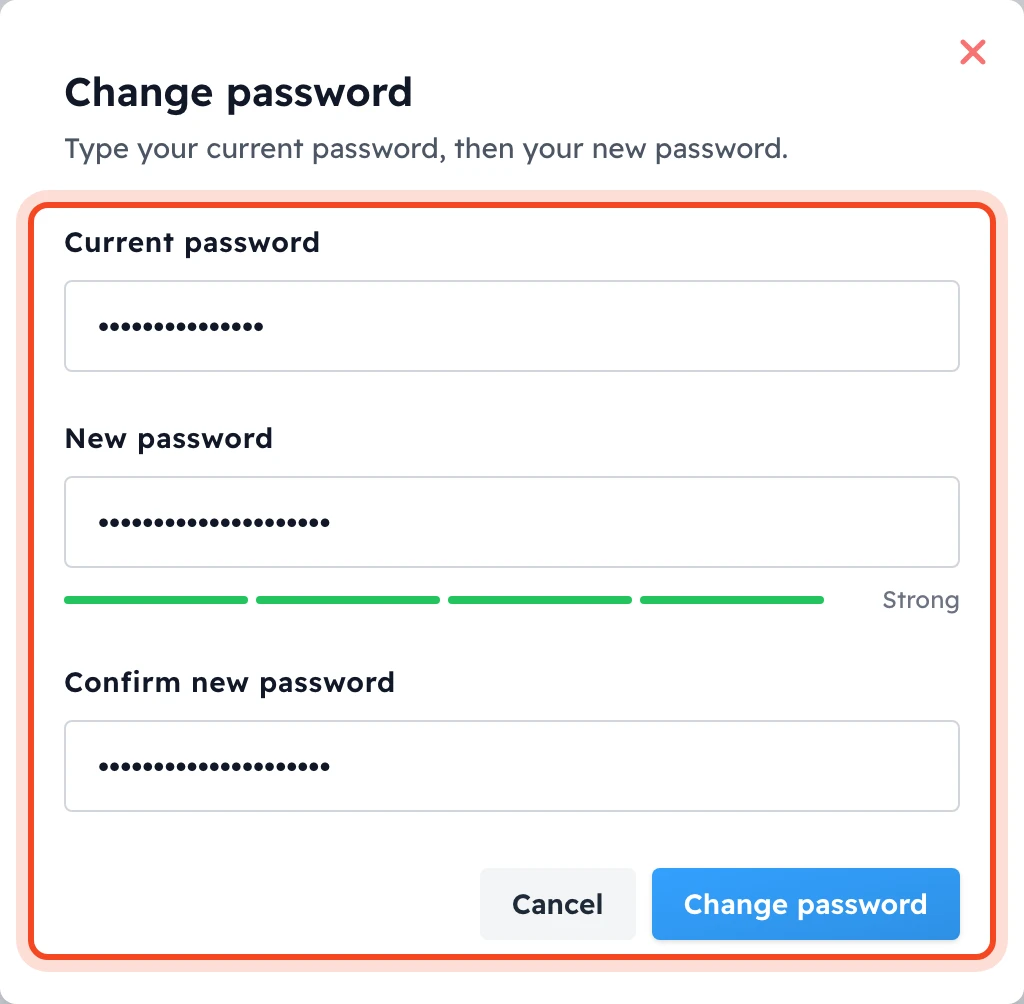
In the window that opens, enter your Current password and your New password, and type the new password again in Confirm new password. Then click Change password.
tip
If you forgot your current password, click Forgot password? in the same tab, and you will get an email. If you never set a password for your account, click Set password instead.