Delete or archive a course
This article shows how to archive a course on your platform. This feature is for platform admins.
Steps to archive a course
-
On the Courses page in your platform dashboard, click ⋯ at the end of the row of the course you want to archive.
-
Click Archive Course.
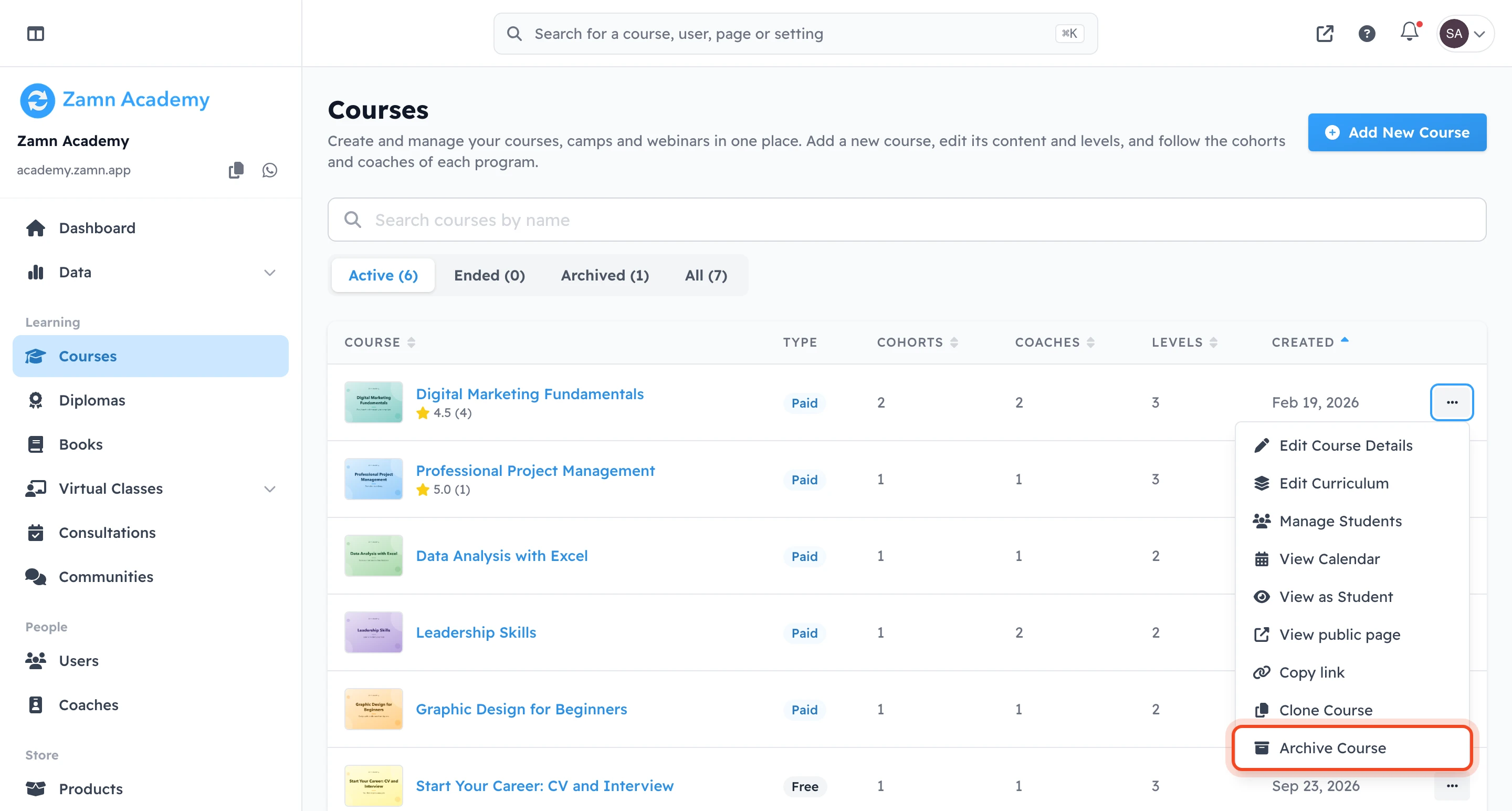
-
The message Are you sure you want to archive the course? shows. Click OK to confirm.

-
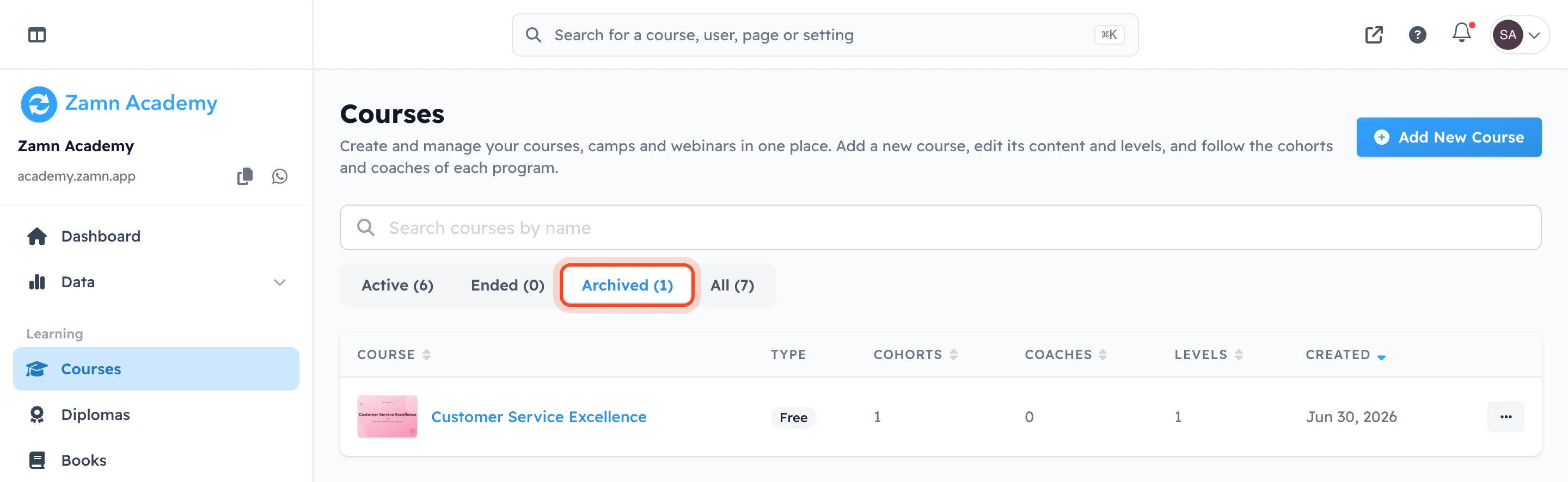
The message Course archived successfully shows, and the course moves to the Archived tab of the Courses page.
Note
You cannot delete a course for good, but you can archive it. When you archive a course, it disappears from the students' course list and they can no longer open it, and all its active cohorts end.