How to delete a section (level) from a course
This article shows how to delete a section from a course curriculum. When you delete it, all the target groups and targets in the section move to another section you choose, so the course needs at least two sections.
Steps to delete a section from a course
-
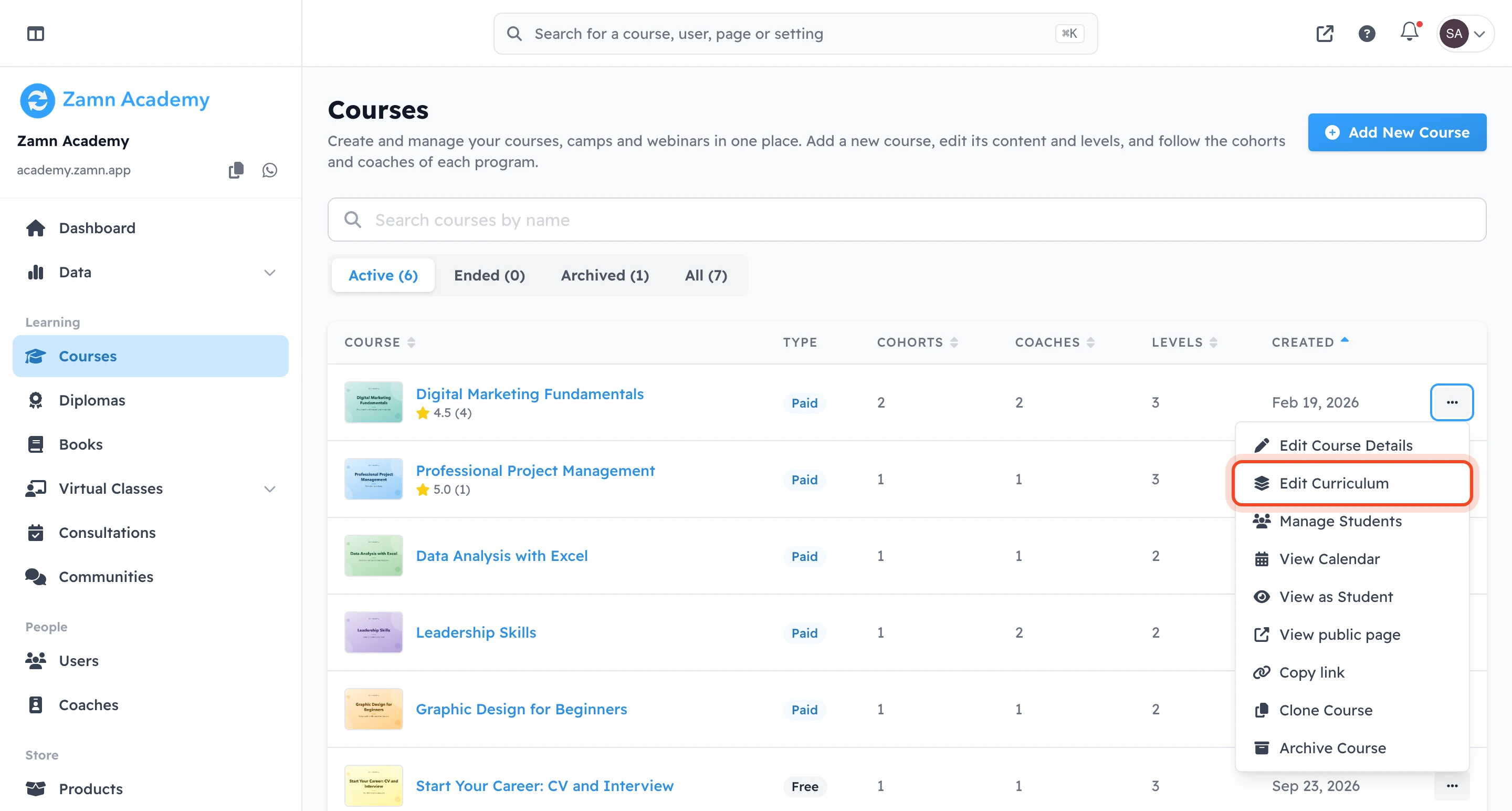
On the Courses page, click the name of the course you want, or click ⋯ at the end of its row, then click Edit Curriculum.
-
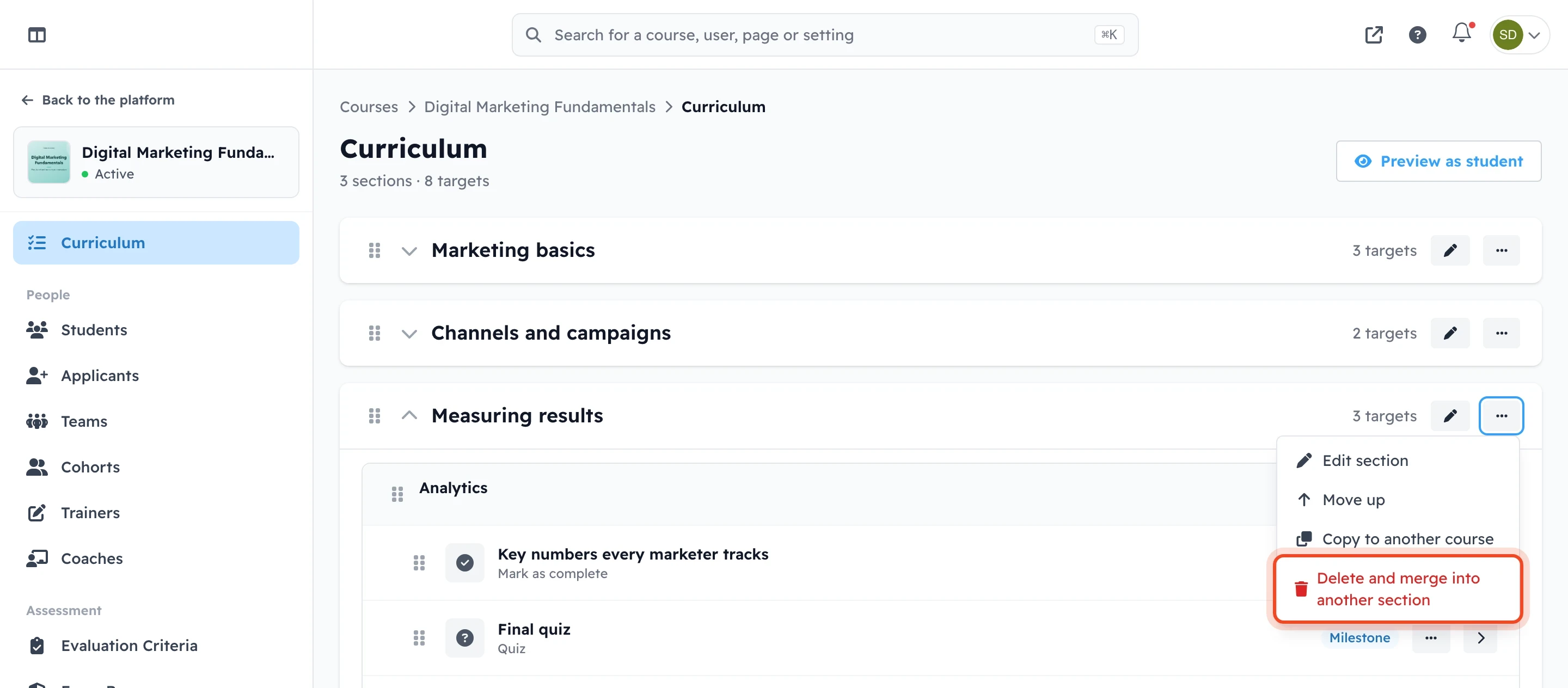
On the Curriculum page, click ⋯ next to the section you want to delete, then click Delete and merge into another section.
-
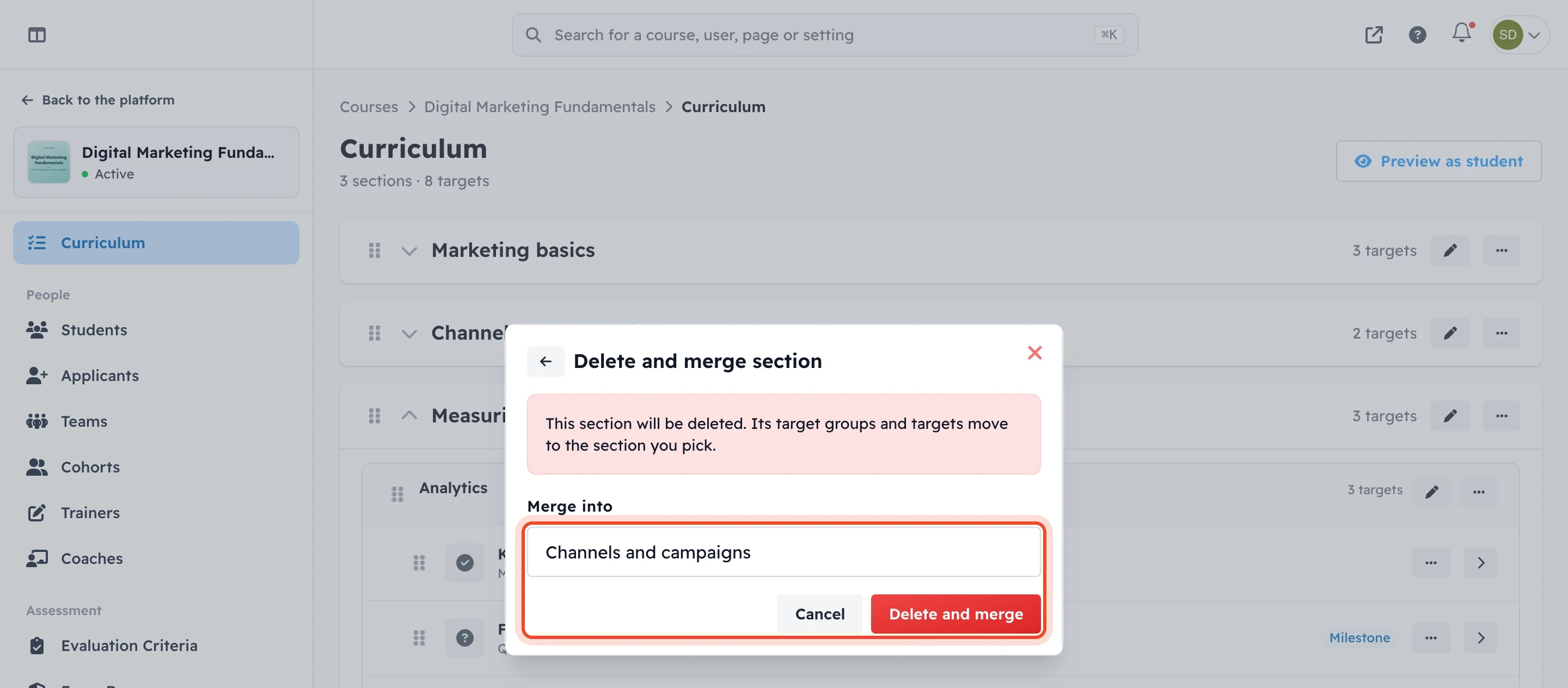
In Merge into, choose the section that the target groups and targets will move to.
-
Click Delete and merge. All the target groups and targets in this section move to the section you chose, and then the section is deleted.
warning
You cannot undo deleting a section.