Turn on the referral system
The referral system lets the users of your platform create their own referral code and share it with others. From the Referral Management page, you turn the system on and follow its results.
The referral program works on the Growth, Pro and Organizations plans. On other plans, such as Basic, the Referral program switch does not show, and the page shows the message Upgrade your platform to the Growth plan or higher to use the referral program.
Steps to turn on the referral system
-
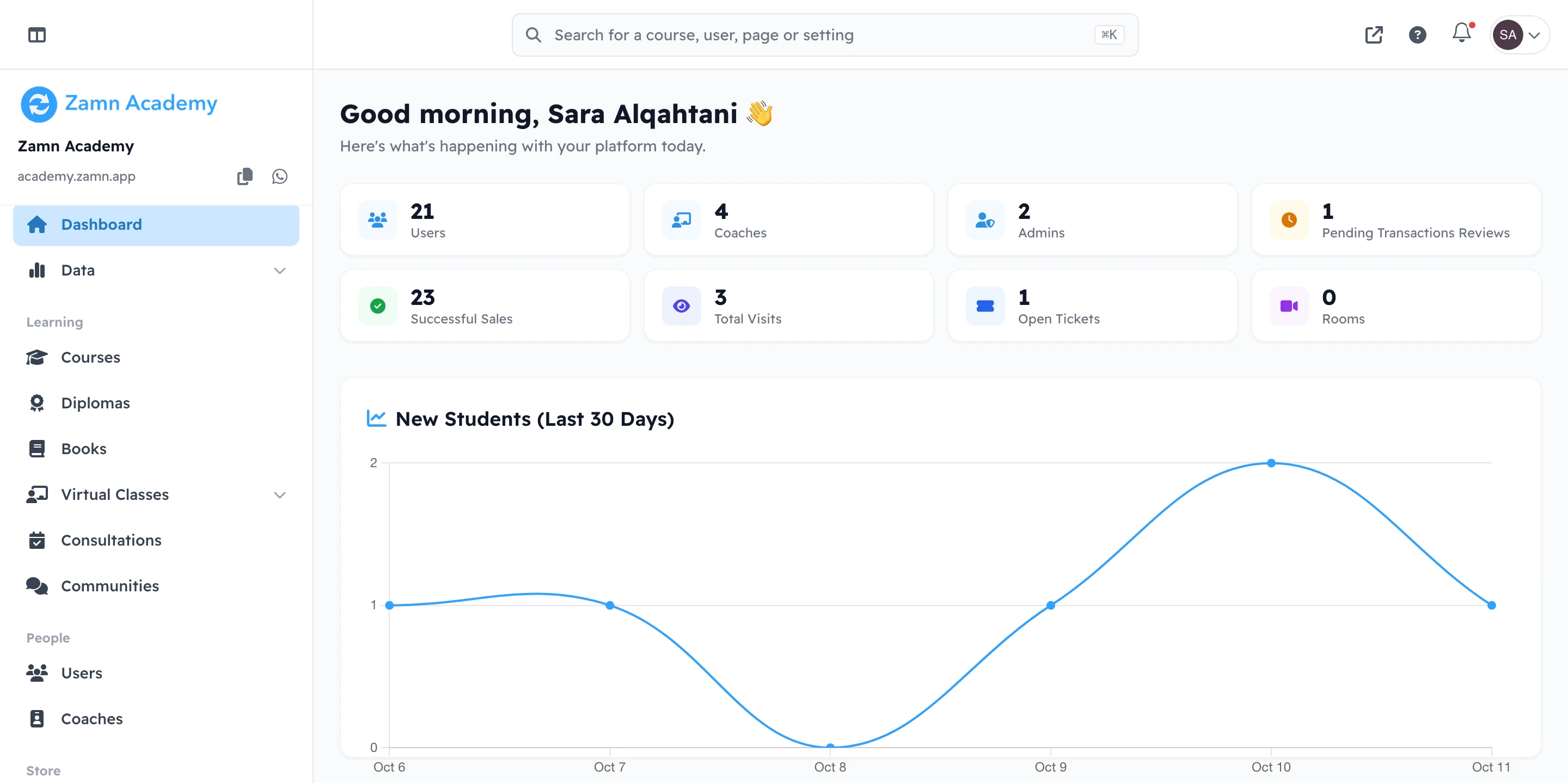
Sign in to the Dashboard of your platform.
-
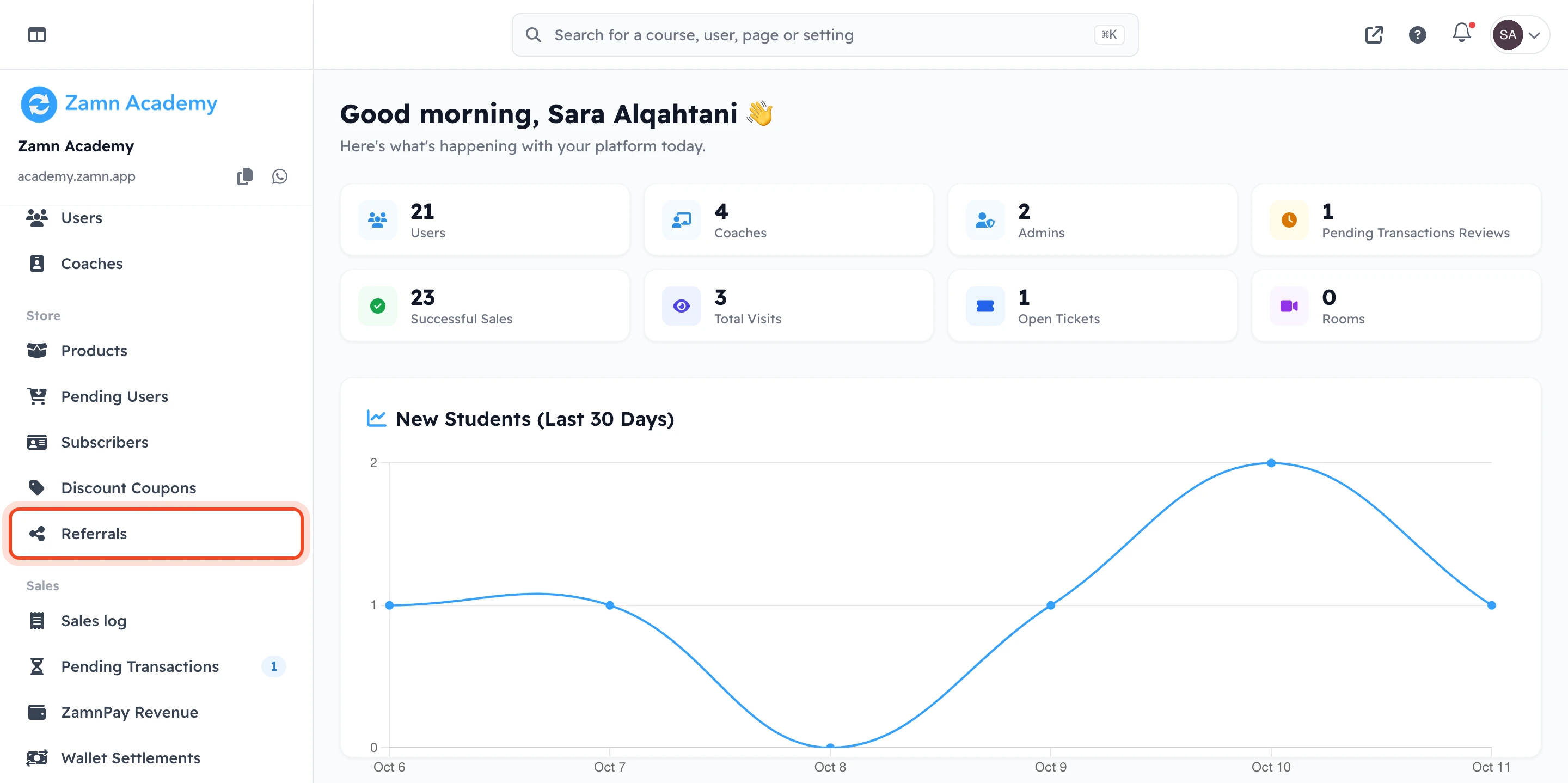
In the side menu, under Store, click Referrals.
-
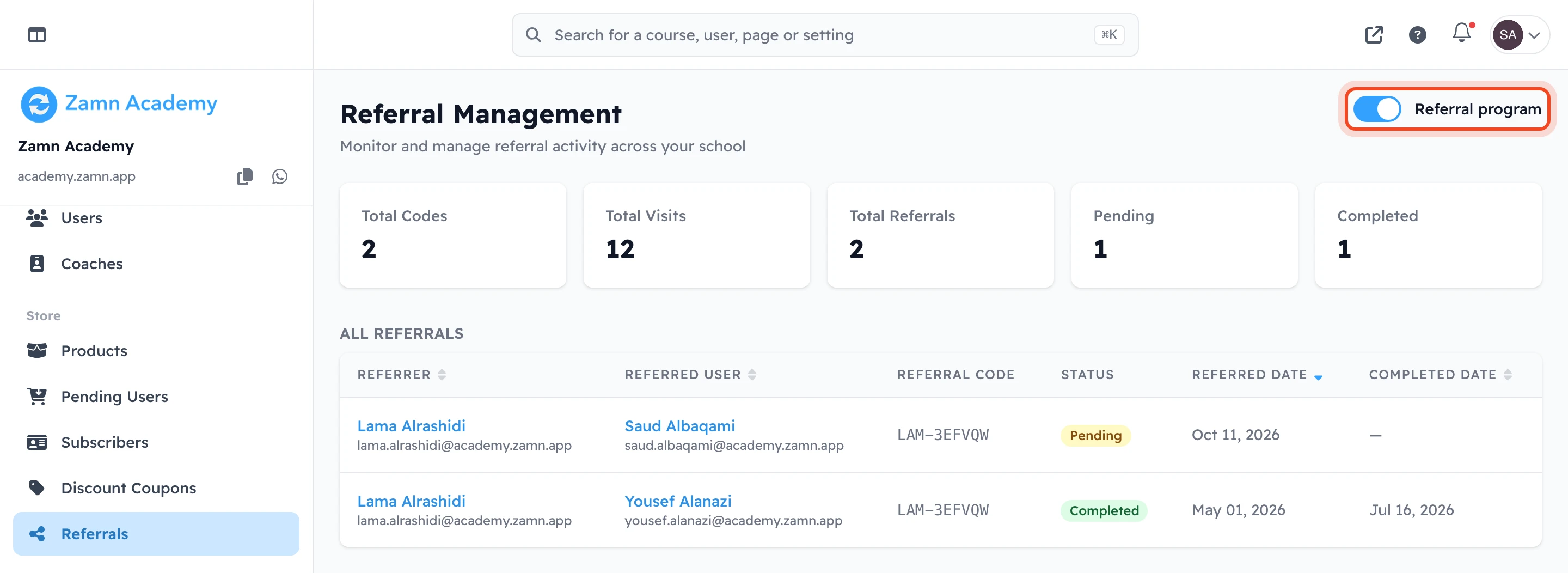
On the Referral Management page, turn on the Referral program switch. The message Referral program has been enabled appears.
-
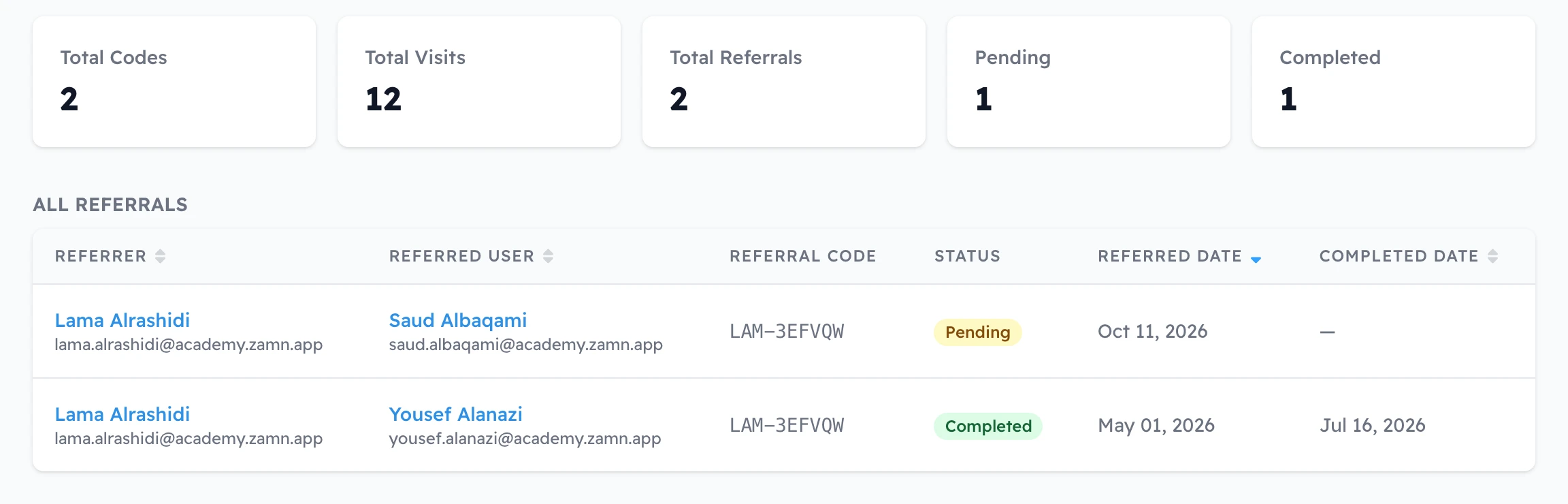
On the same page, you see the referral statistics:
- Total Codes.
- Total Visits.
- Total Referrals.
- Pending.
- Completed.
You also see the details of each referral in the All Referrals section: Referrer, Referred User, Referral Code, Status, Referred Date and Completed Date. Click a column title, such as Referrer or Referred Date, to sort the table. On small screens, some columns are hidden.