Ways to receive payments
Zamn lets you receive electronic payments for your digital products.
Open the payment methods
-
In the side menu of the dashboard, under Account, click Settings.
-
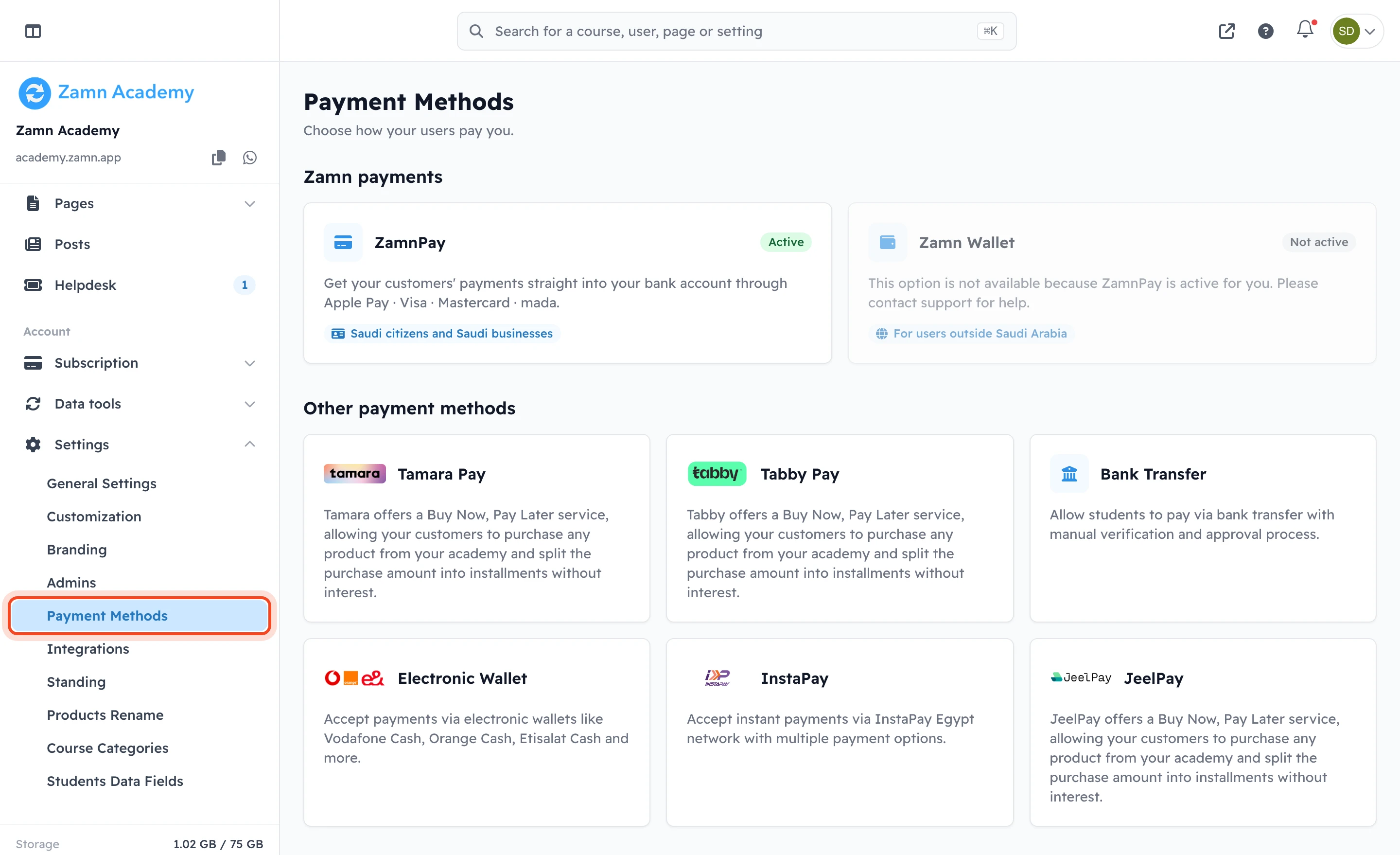
Choose the Payment Methods page.
-
The page has two parts: Zamn payments and Other payment methods. Click the card of the payment method you want to turn on.
Note
In Zamn payments, choose by the nationality of the account owner: ZamnPay is for Saudi citizens and Saudi businesses, and Zamn Wallet is for users outside Saudi Arabia.
Available payment methods
- To learn how to apply for ZamnPay, click here.
- To learn how to connect Tamara Pay, click here.
- To learn how to turn on Zamn Wallet, click here.
- To learn how to connect Tabby Pay, click here.
- To learn how to turn on Bank Transfer, click here.
- To learn how to connect JeelPay, click here.
- Electronic Wallet: accept payments through electronic wallets such as Vodafone Cash, Orange Cash and Etisalat Cash.
- InstaPay: accept instant payments through the InstaPay network in Egypt.