How to change a student's cohort
You can move a student from one cohort to another cohort in the same course. This feature is for platform admins.
-
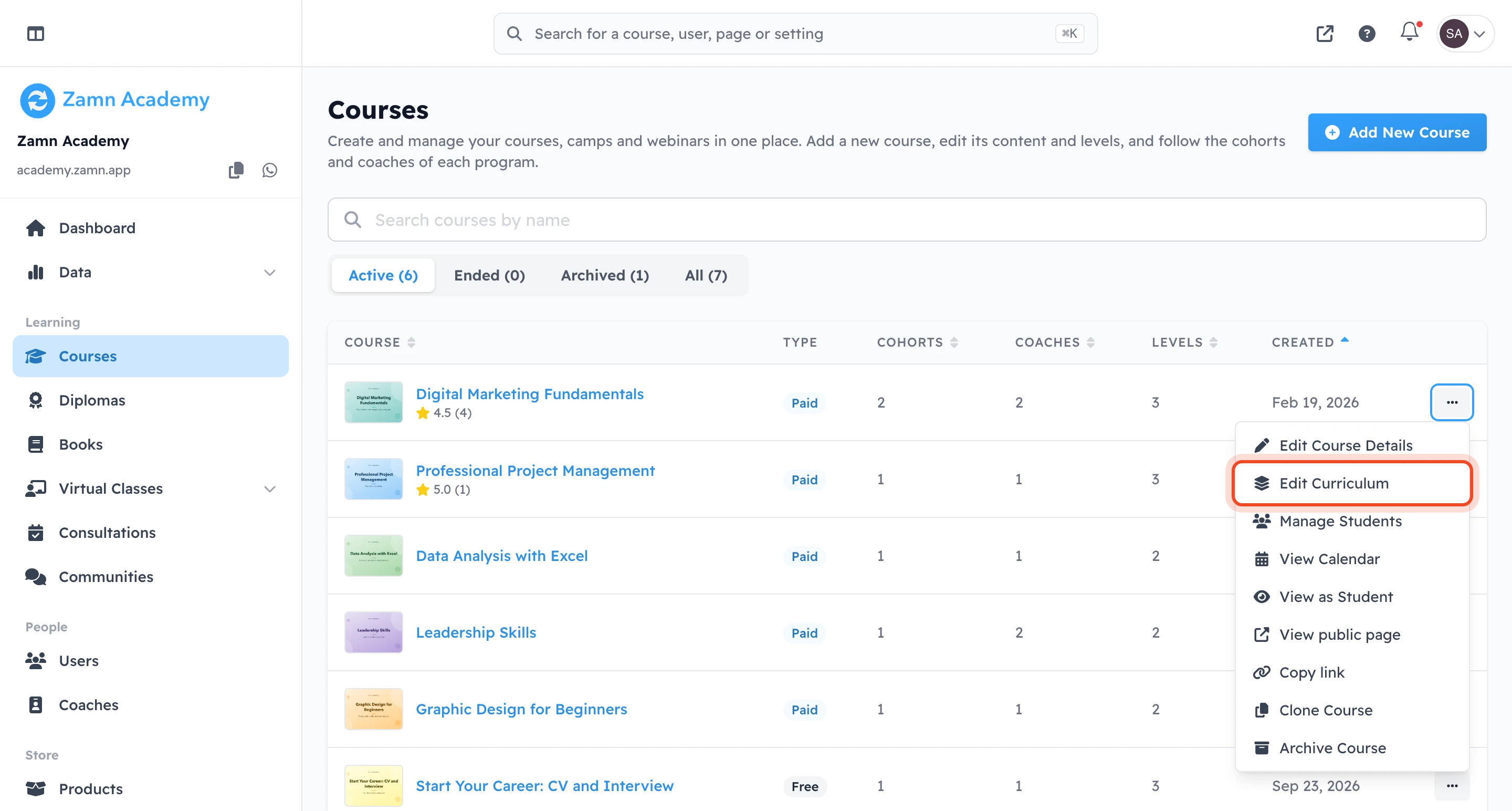
On the Courses page, click the name of the course, or click ⋯ at the end of its row, then click Edit Curriculum.
-
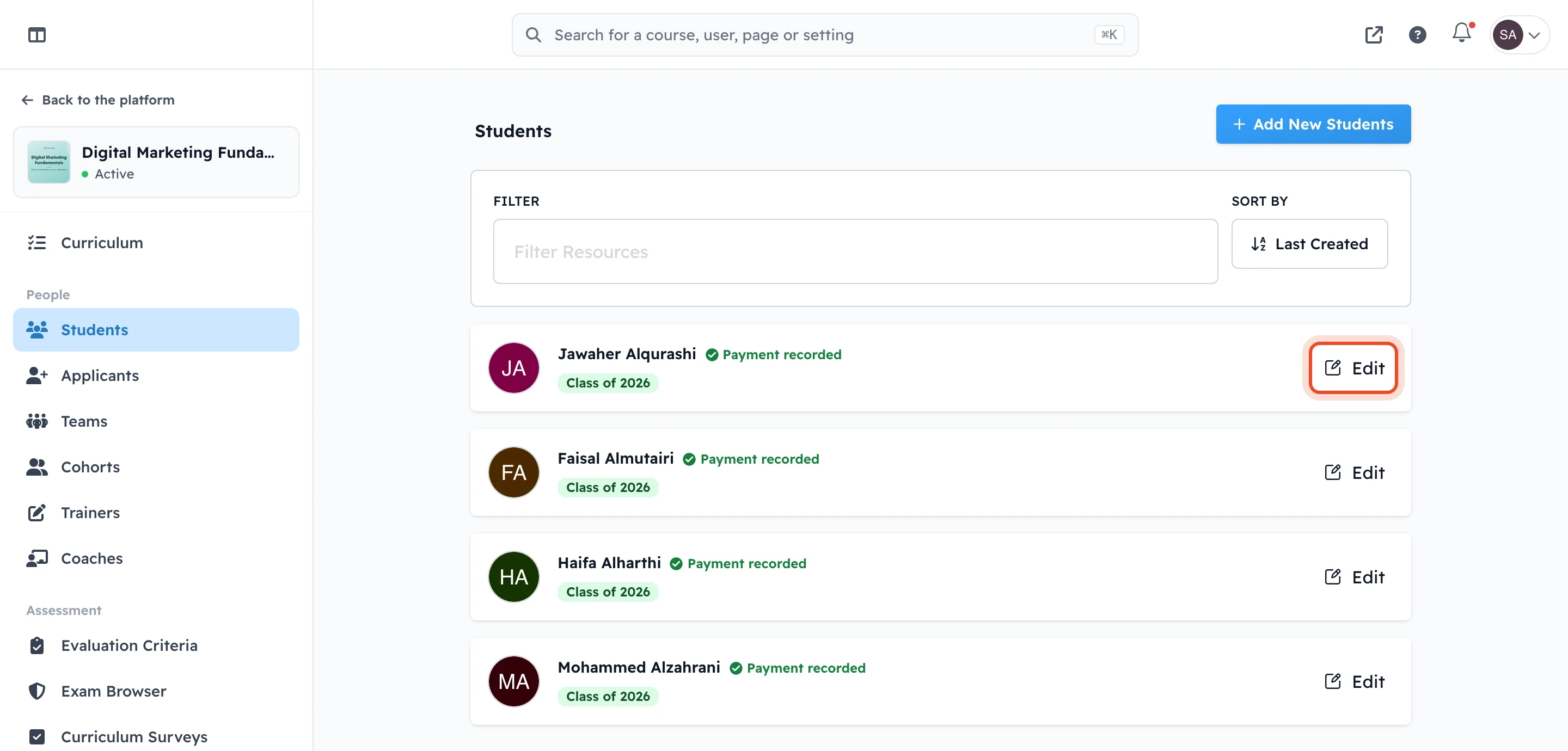
In the course side menu, click Students.
-
Click Edit next to the name of the student whose cohort you want to change.
-
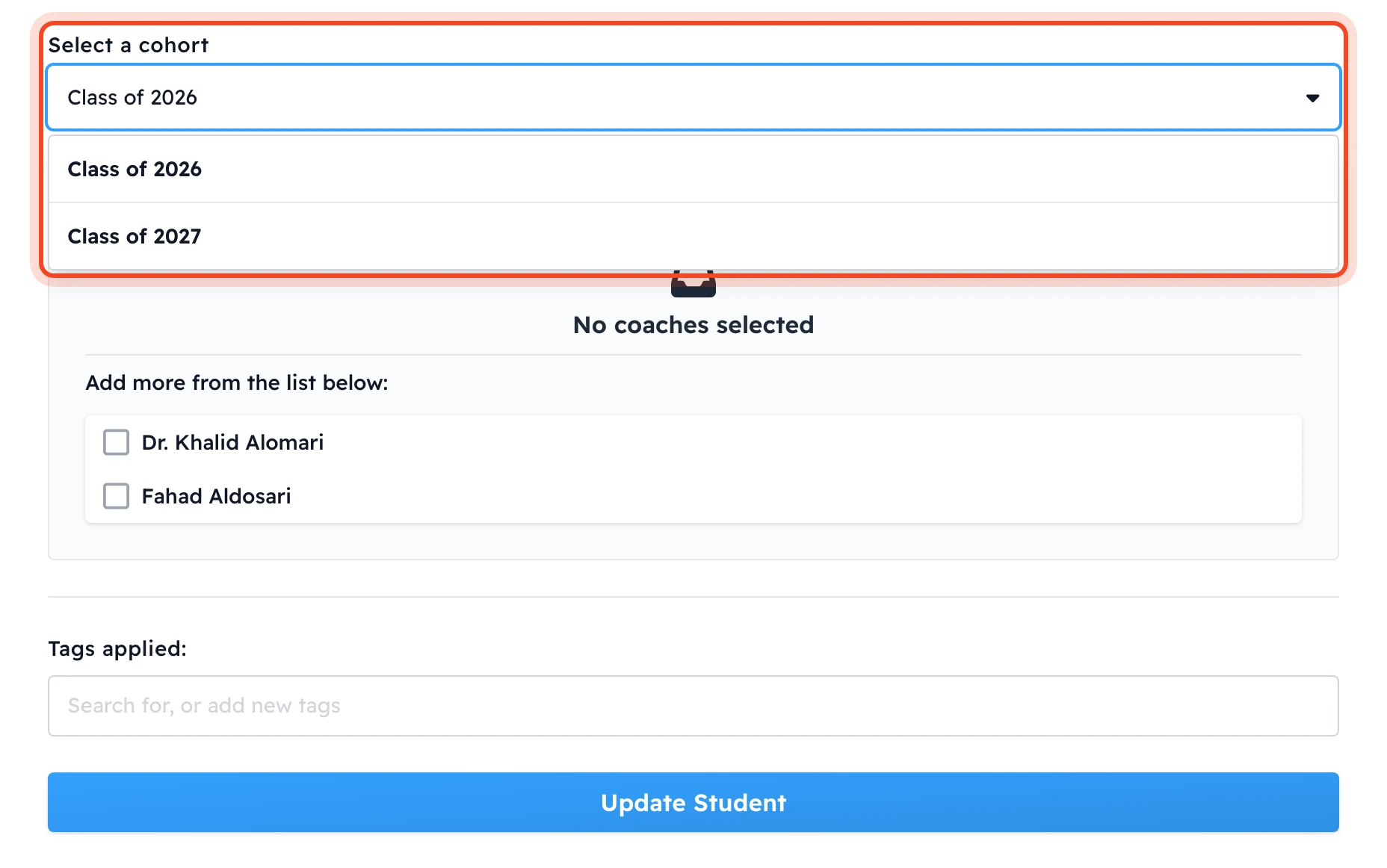
In the Details tab, choose the new cohort under Select a cohort.
-
Click Update Student to save the change.