Unarchive a course
This article shows how to restore a course that you archived before. This feature is for platform admins.
Steps to restore an archived course
-
From the dashboard, go to the Courses page.
-
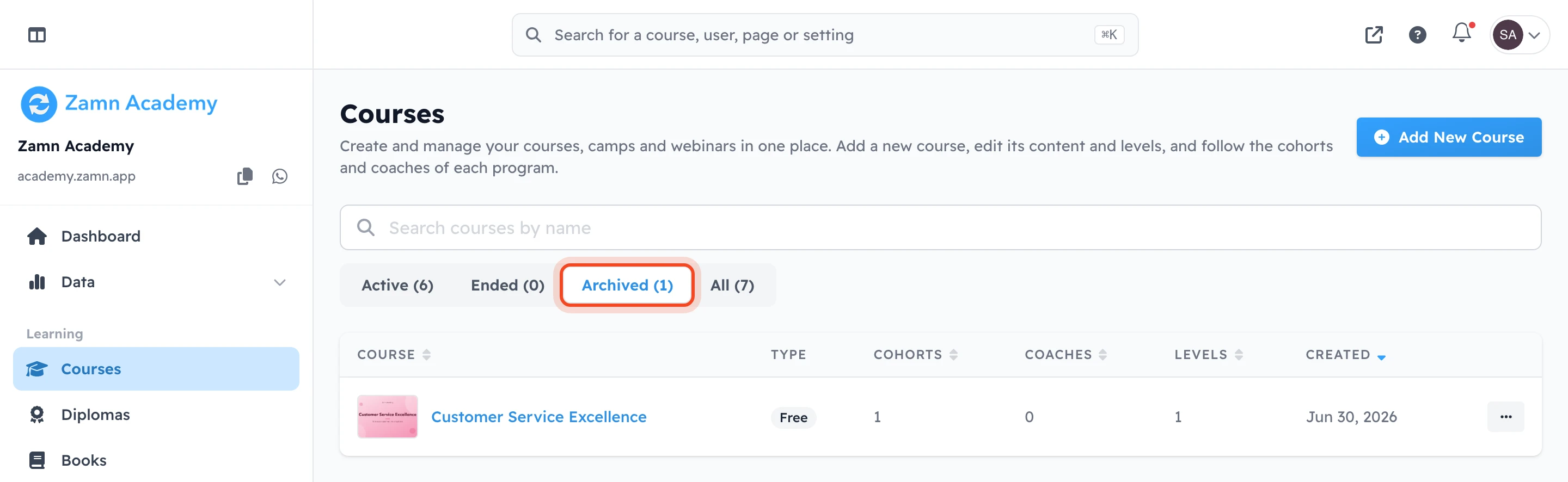
Click the Archived tab above the course list to show the archived courses. If you do not choose another tab, the list shows only active courses.
-
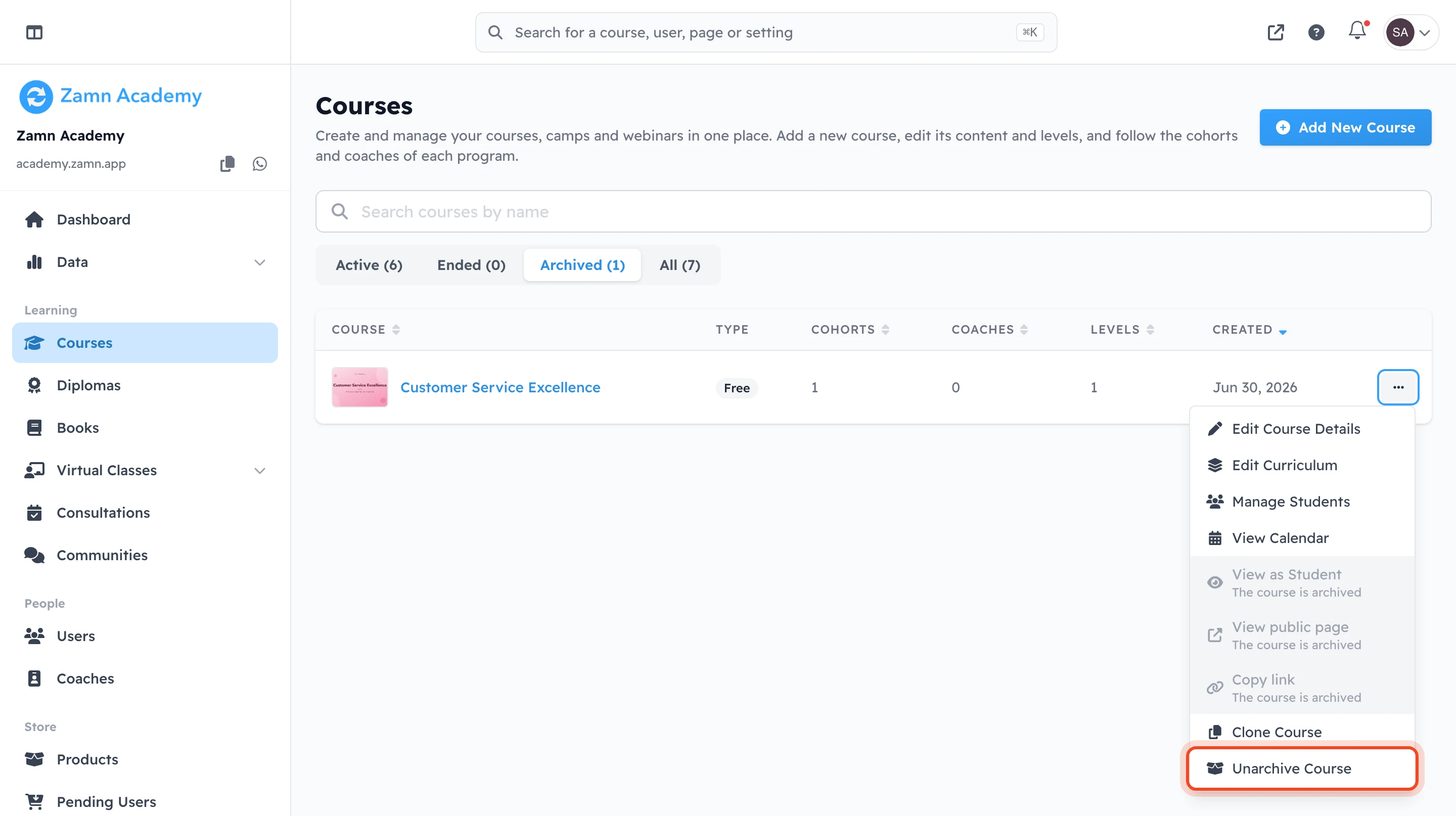
Click ⋯ at the end of the row of the course you want to unarchive.
-
Click Unarchive Course.
-
The message Are you sure you want to unarchive the course? shows. Click OK to confirm. The message Course unarchived successfully shows.

To unarchive a course, you need an active subscription to one of the Websites plans, or your platform must be in the free trial.
When you archived the course, its active cohorts ended, and unarchiving does not reopen them, so students in these cohorts can only preview the content. So the course shows in the Ended tab if none of its cohorts is still open. To let them complete targets again, change the End date of their cohort on the course Cohorts page.