Pay by bank transfer
When you buy any course or product, you can choose to pay by bank transfer if the platform offers this method. You send the transfer receipt, the platform administration reviews your request, and then you get access.
How to pay by bank transfer
-
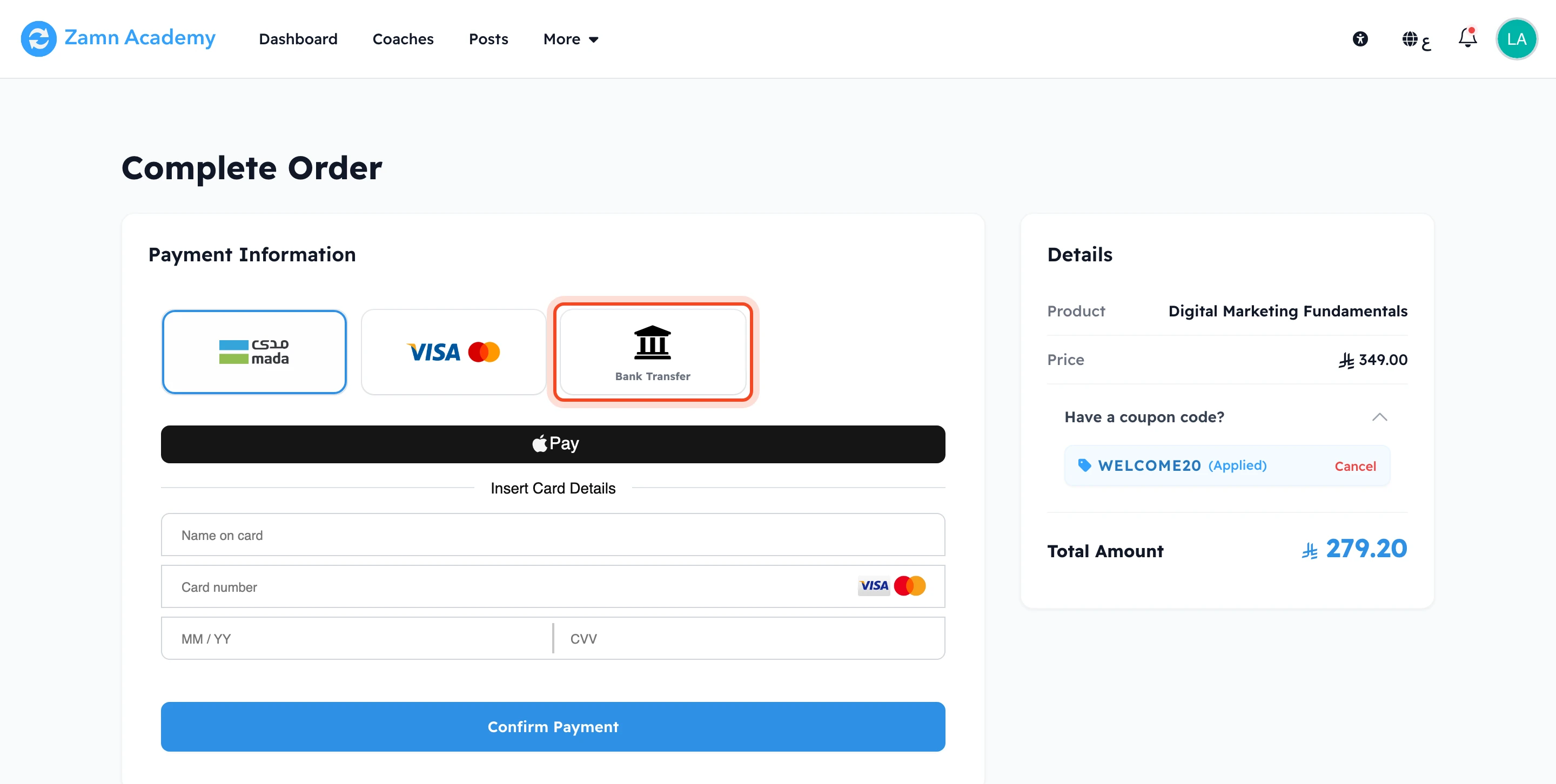
Choose the course or product you want to buy, then choose Bank Transfer from the payment methods on the Complete Order page.
-
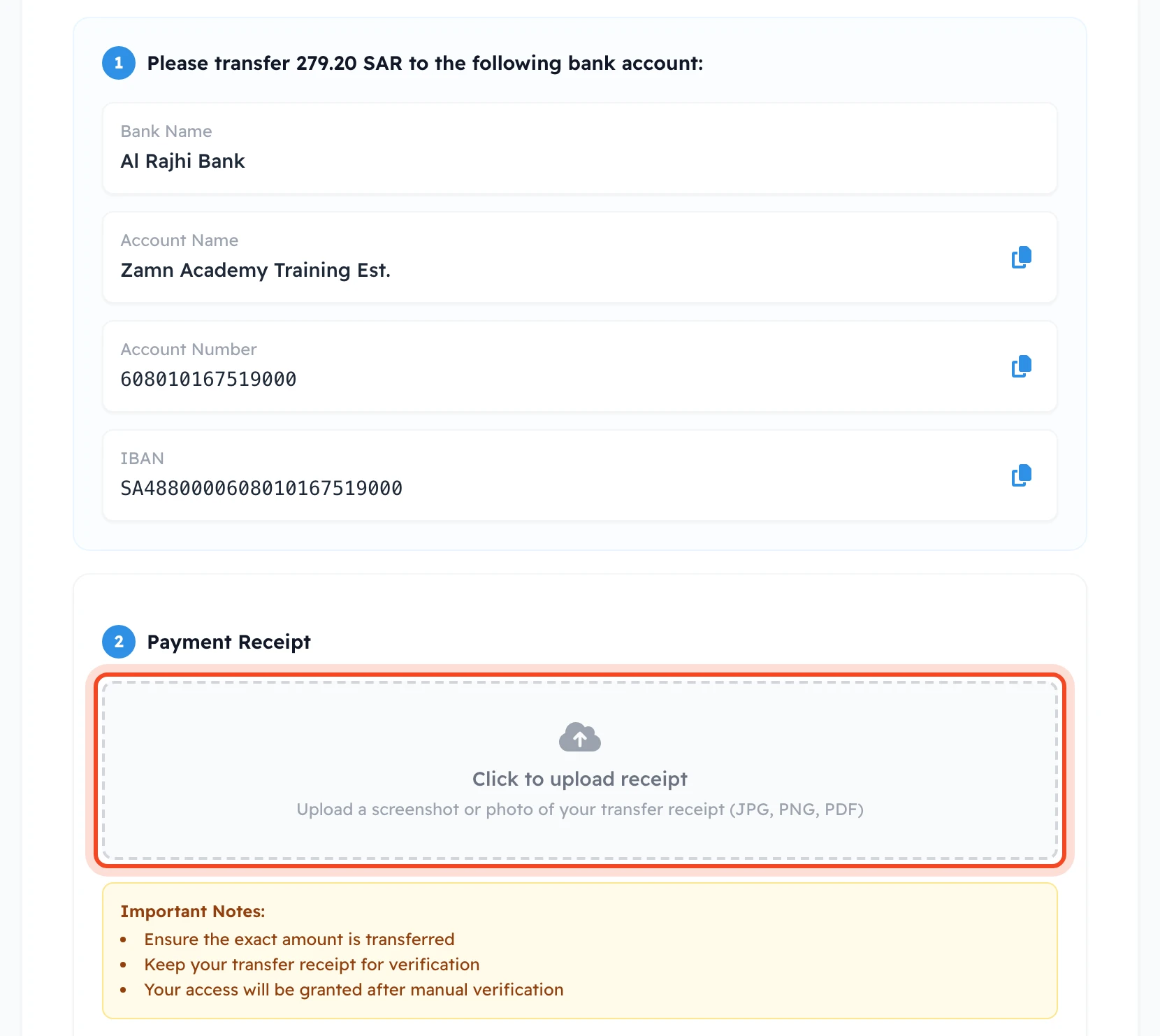
Transfer the amount shown from your bank account to the account shown under Please transfer ... SAR to the following bank account. You see the bank name, account name, account number and IBAN. You can copy the account name, account number and IBAN with the copy button next to each one. If the platform has more than one bank account, choose the account from the Choose a bank account list.
-
After the transfer, click Click to upload receipt in the Payment Receipt section, and upload a clear photo or screenshot of the transfer receipt (JPG, PNG or PDF).
-
Check that everything is correct, then click Confirm Payment to send the payment request. The platform administration reviews your request.
-
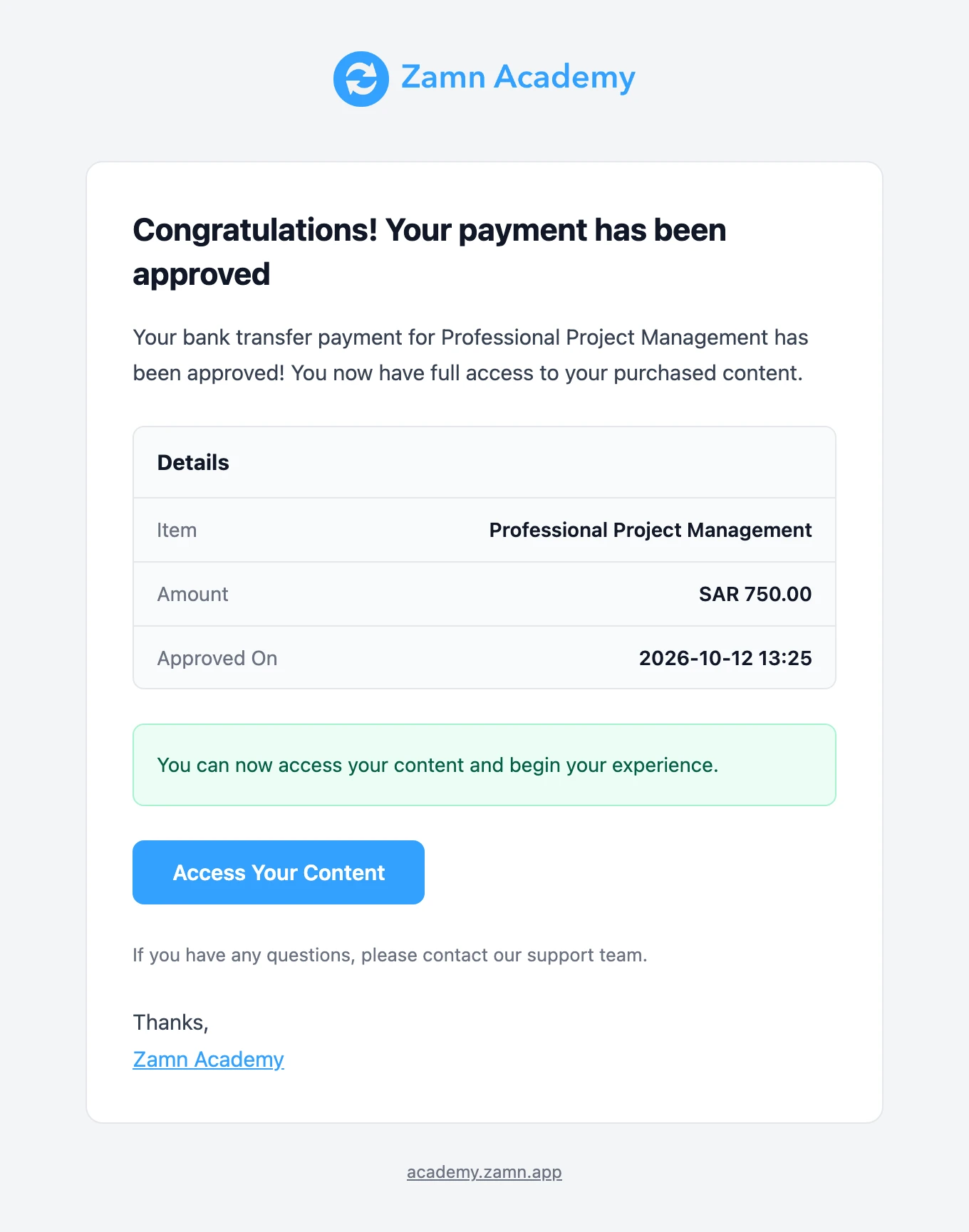
When the payment request is approved, you get an email at your registered email address, and you can access the content. If the request is rejected, you also get an email.
If you already have a pending bank transfer request for the same product, you cannot send a new request until the first one is reviewed.