Change the theme (light or dark)
You can choose the look of the platform that is easy on your eyes: light, dark, or the same as your device system.
Steps to change the theme
-
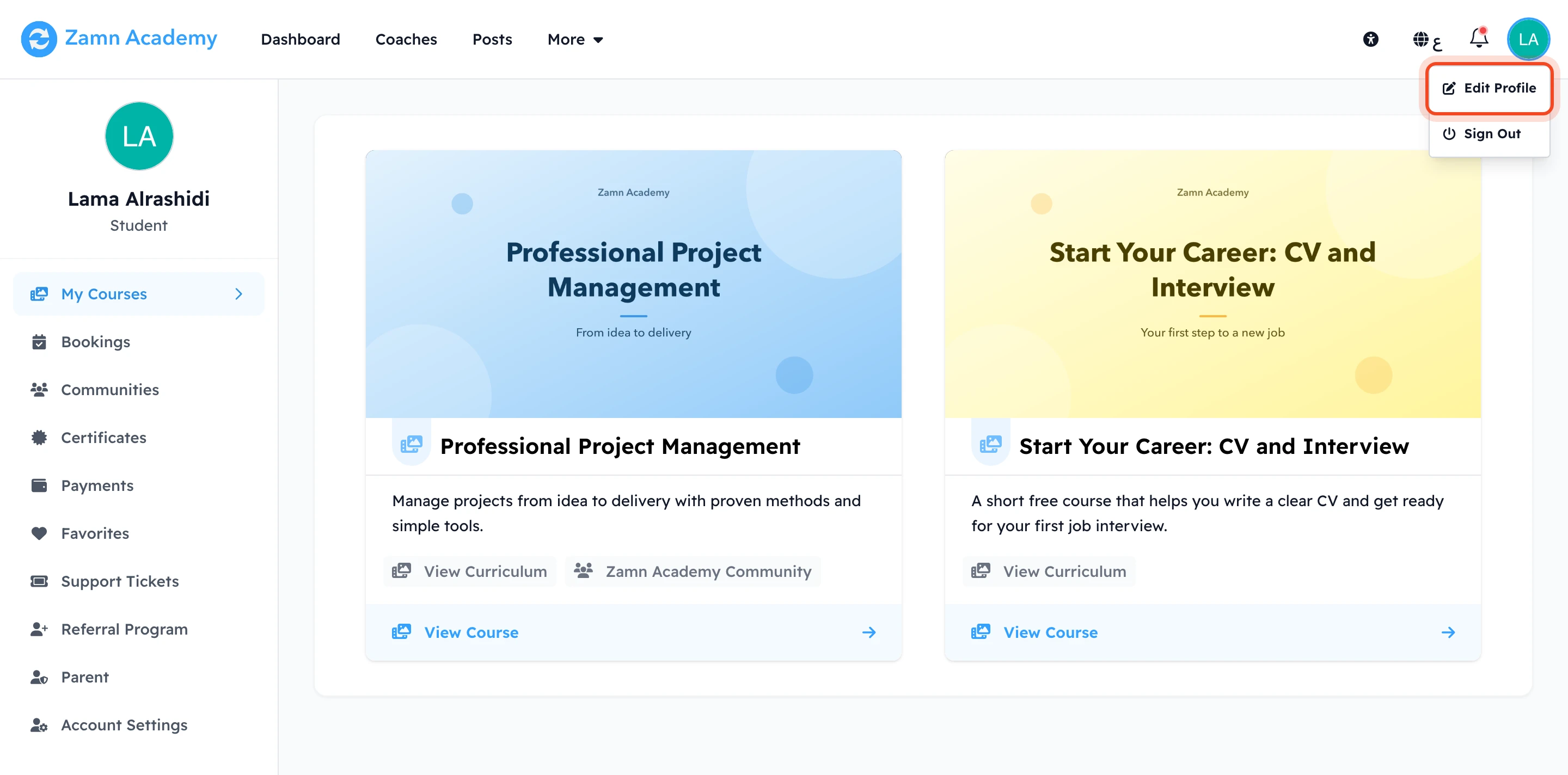
Click your profile icon.
-
Choose Edit Profile. The Account settings page opens.
-
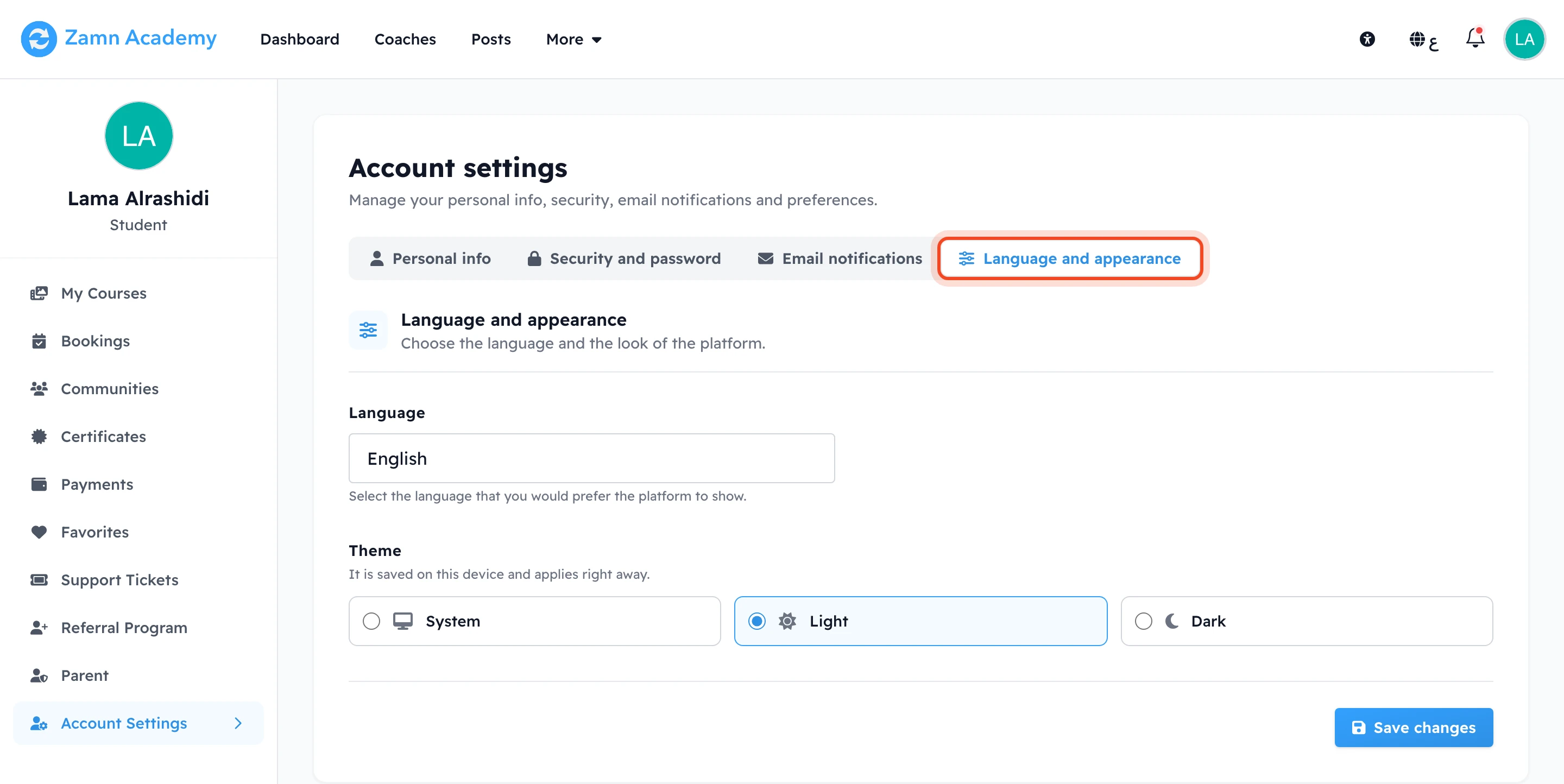
Open the Language and appearance tab. On platforms with only one language, the tab is named Appearance.
-
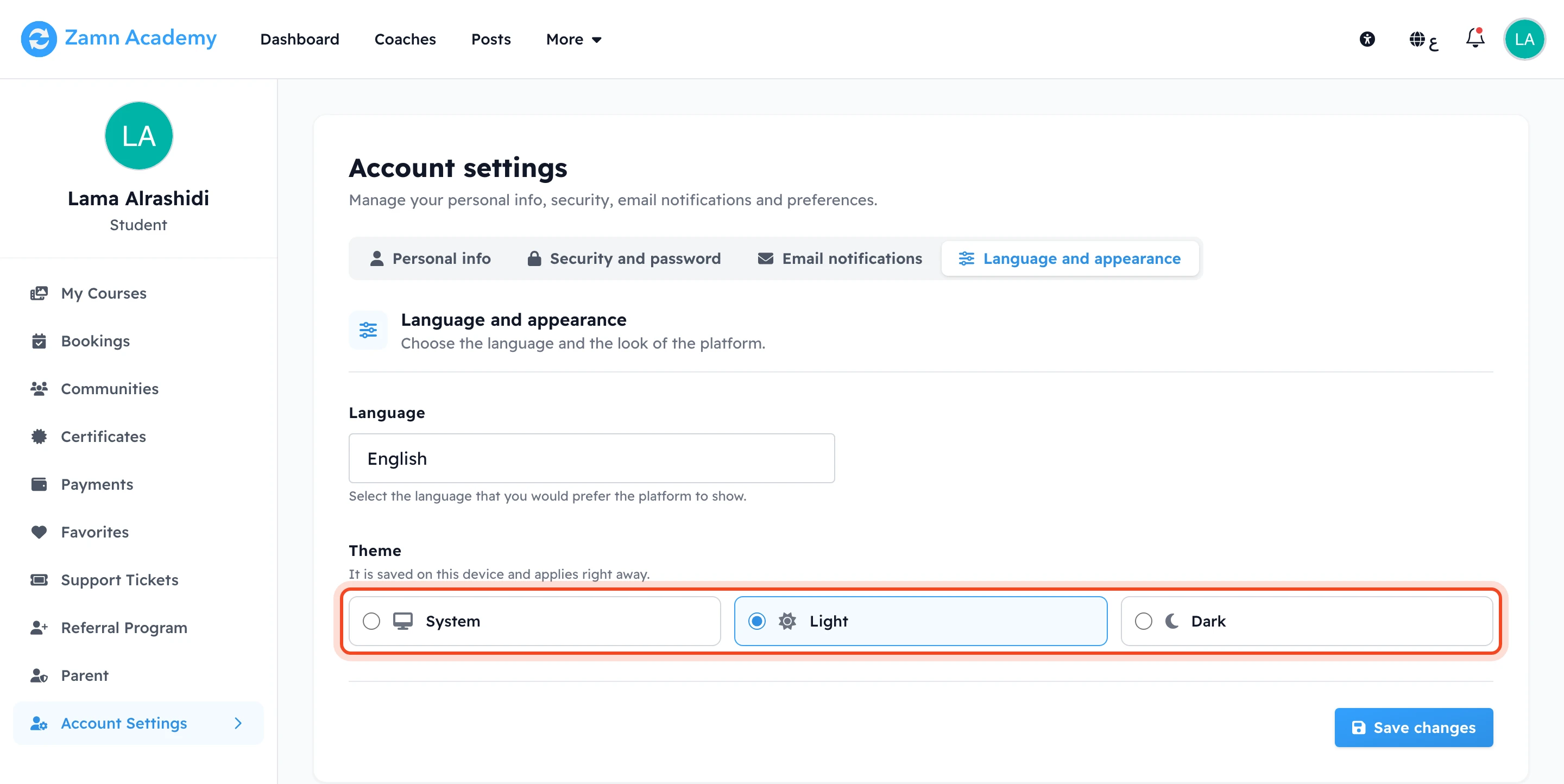
Under Theme, click the theme you want: System, Light or Dark. It is applied right away, with no need to save.
tip
Your choice is saved only in the browser you are using. If you open the platform on another device or browser, choose the theme again.