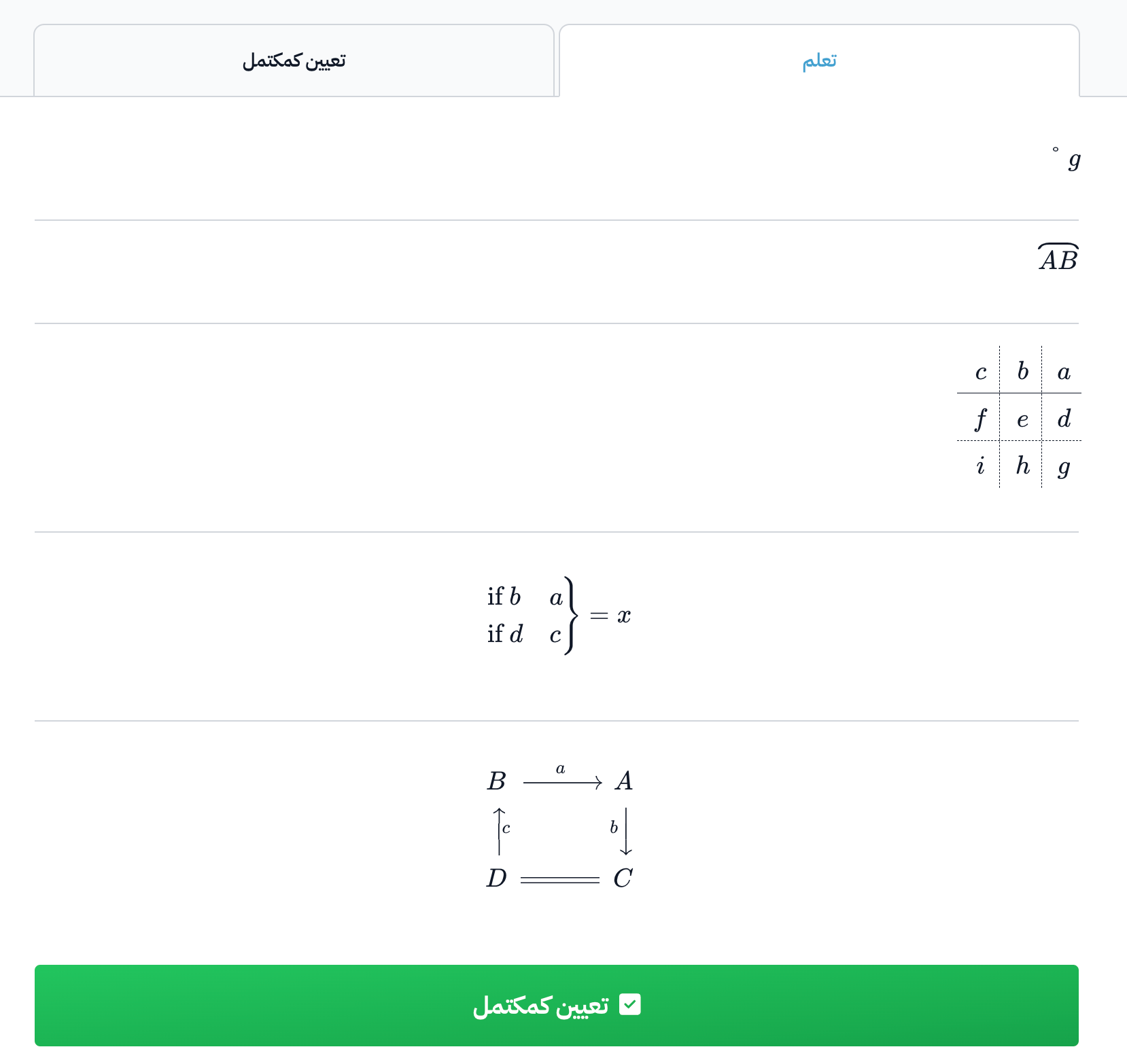
Write math symbols in the Markdown editor
You can write math symbols and equations in the course content, inside a Text block (the Markdown editor). This guide is for trainers.
How to write math symbols in the Markdown editor
-
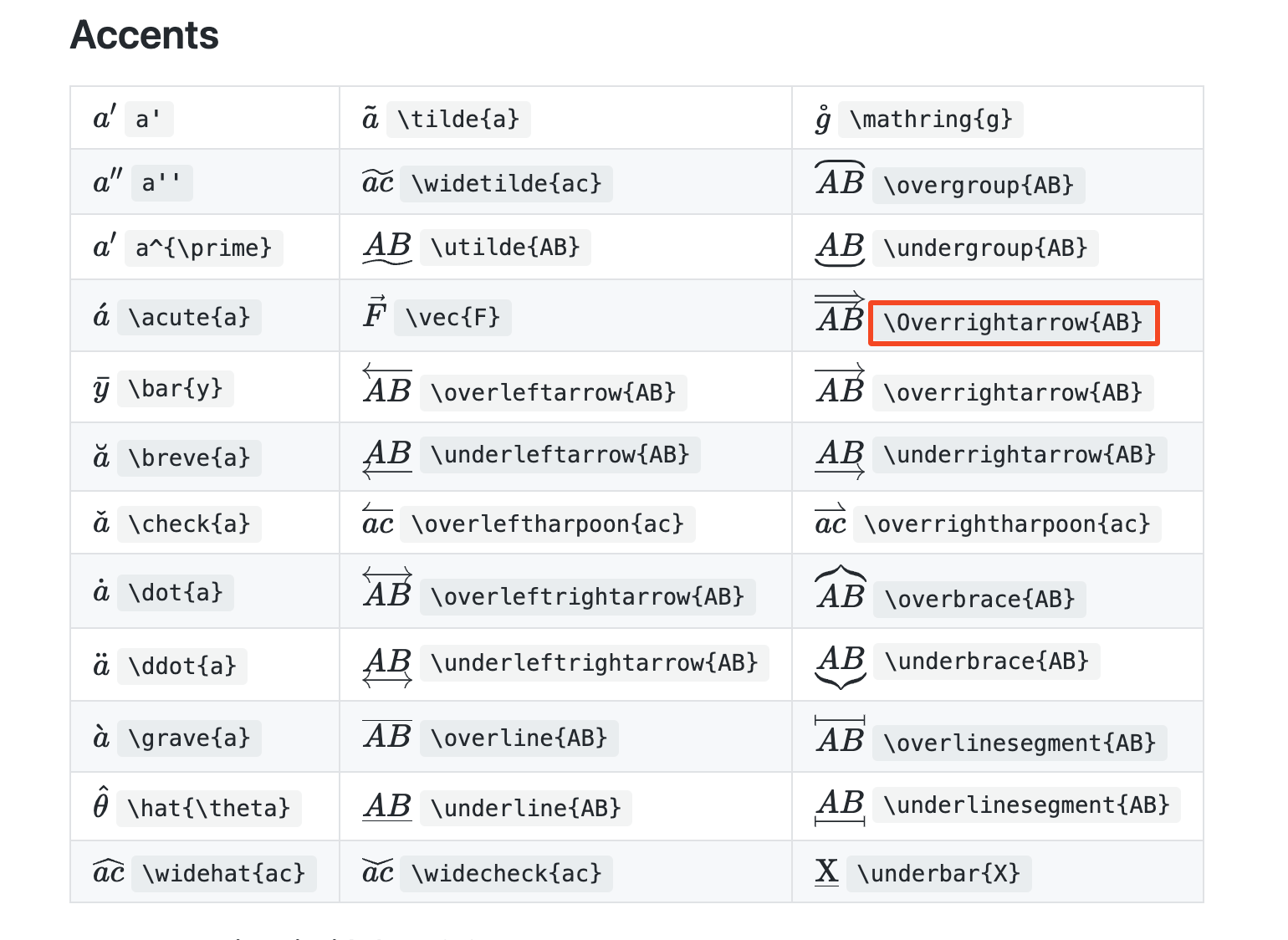
Open the KaTeX Supported Functions page, and copy only the formula of the symbol you want, as shown in the image.
-
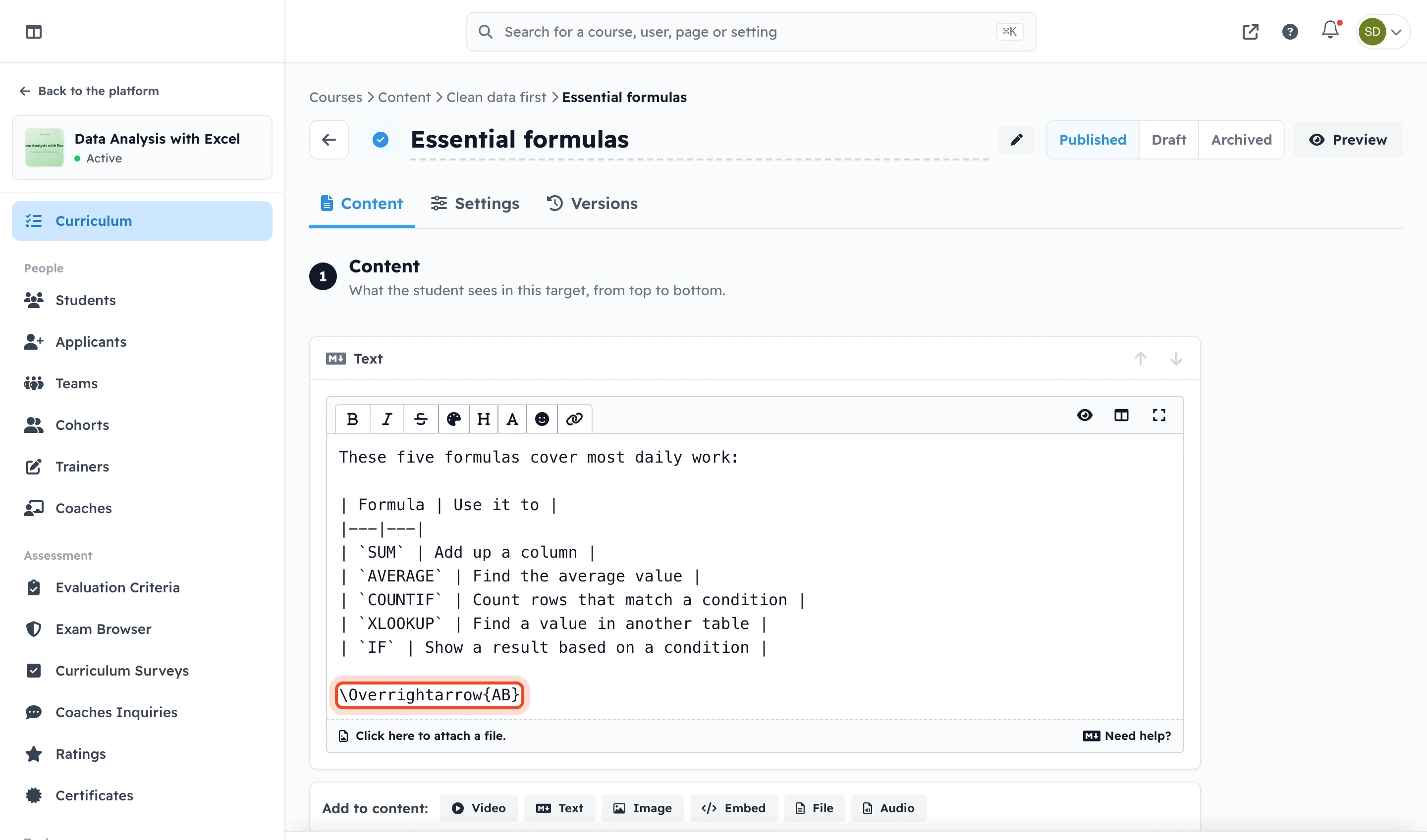
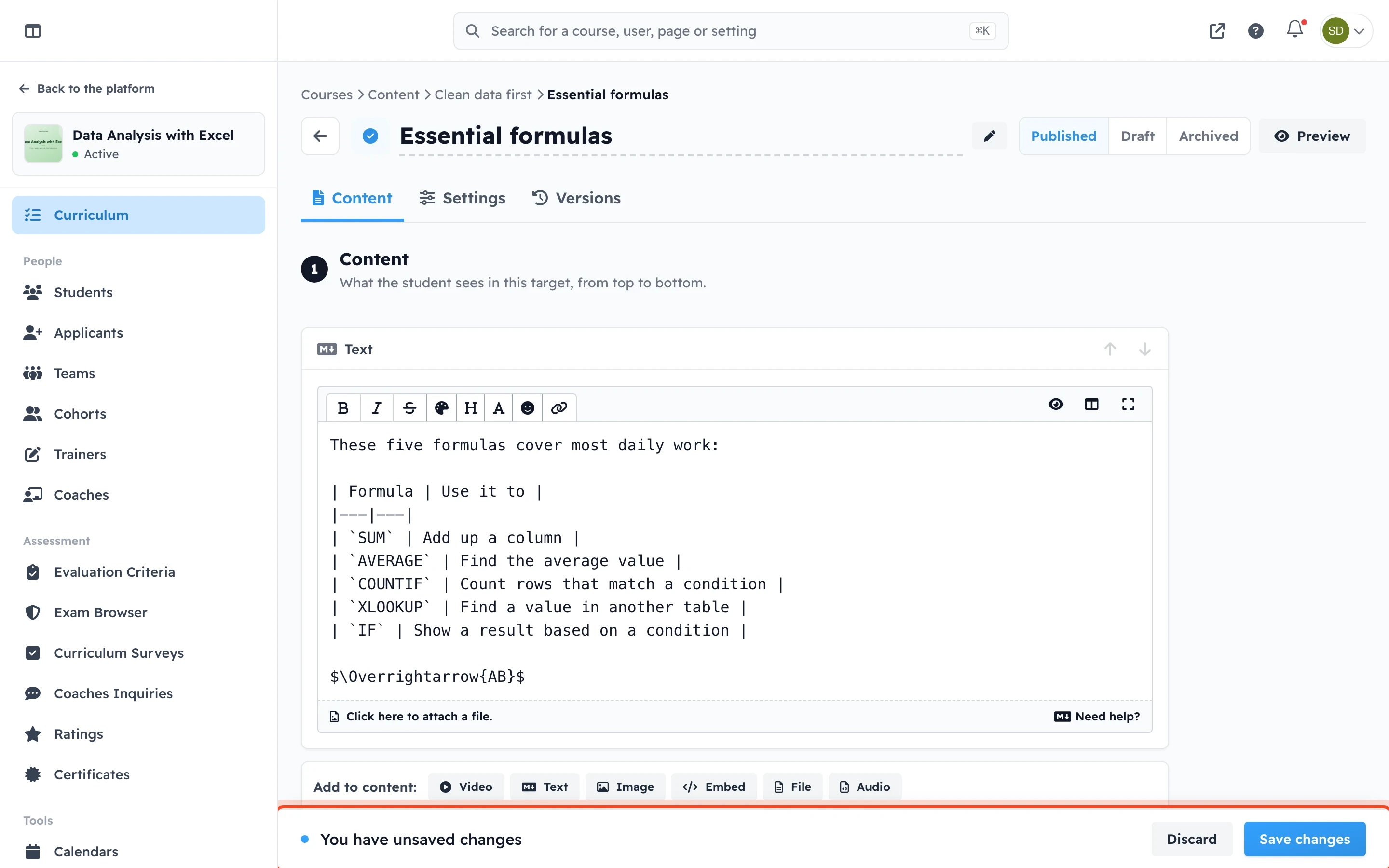
Open the Content tab of the target in the course content, and paste the formula in a Text block.
-
Put a
$sign at the start and at the end of the formula.NoteSome formulas need two signs,
$$, at the start and at the end.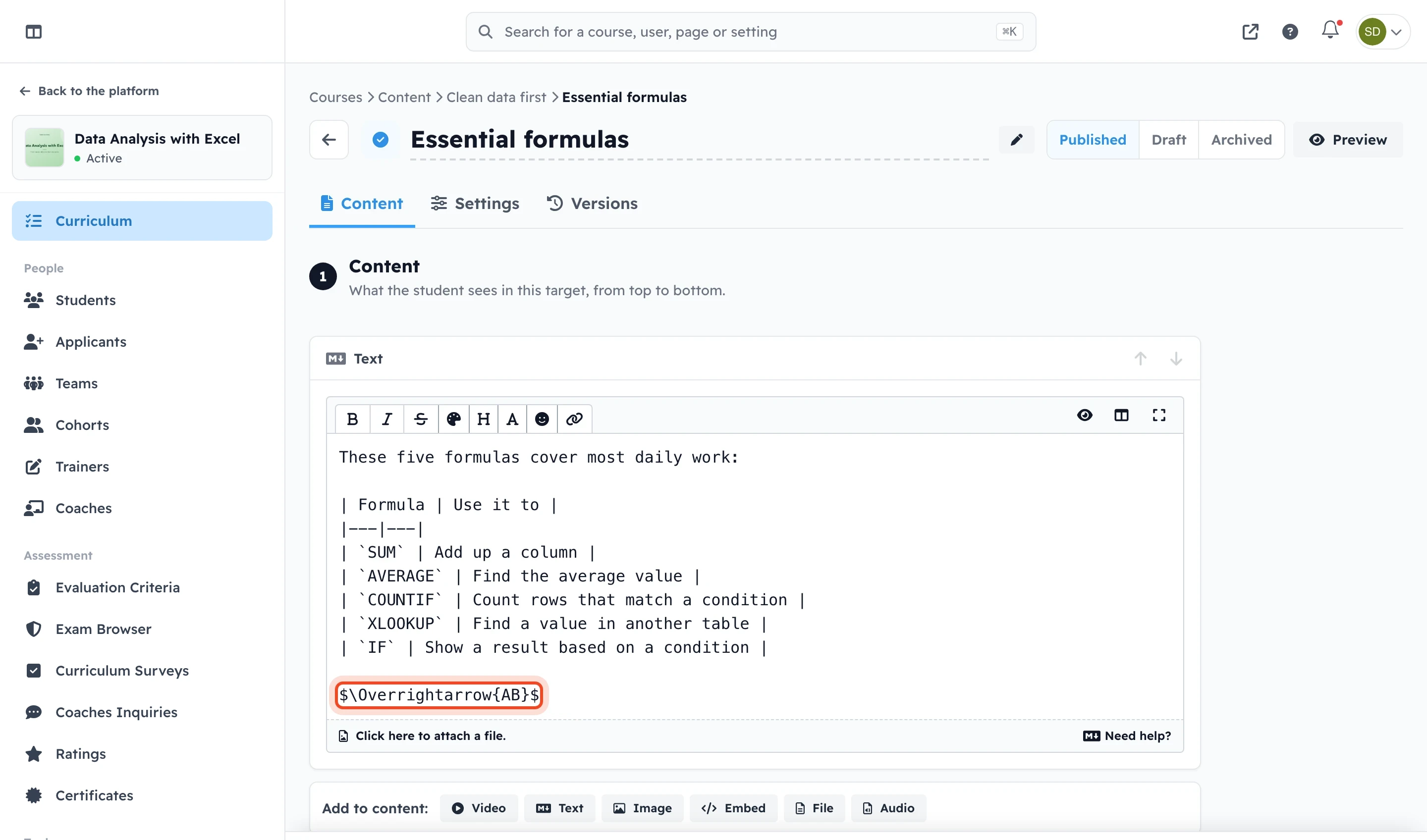
-
When you finish, click Save changes in the bar at the bottom of the page.
Examples
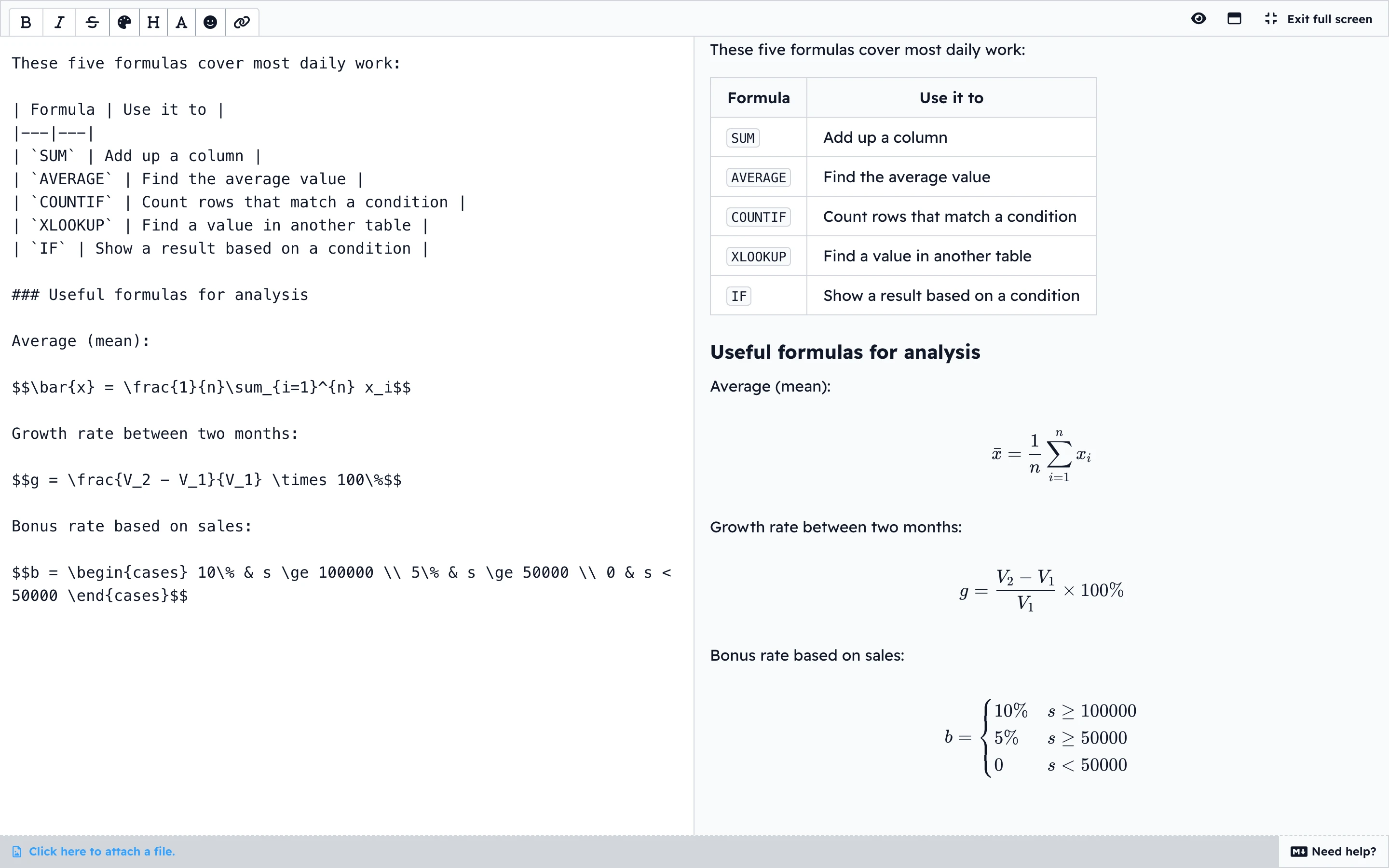
How the symbols look to the student